

Creating the perfect home cinema set up transforms your entertainment space into a professional-grade viewing environment that rivals commercial theaters. Whether you're converting a dedicated room or optimizing your living space, understanding the fundamental components and design principles ensures you achieve exceptional audio-visual performance. The investment in a proper home cinema set up delivers years of immersive entertainment, from blockbuster movies to sports events and gaming sessions.
Understanding Room Selection and Acoustic Fundamentals
The foundation of any successful home cinema set up begins with selecting the right space. Room dimensions, shape, and existing architectural features significantly impact audio performance and visual quality.
Evaluating Room Dimensions
Ideal home cinema rooms follow specific dimensional ratios to minimize acoustic problems. The golden ratio of 1:1.6:2.6 (height:width:length) helps reduce standing waves and bass nulls. For example, a room with a 9-foot ceiling works best with a 14.4-foot width and 23.4-foot length.
Critical room selection factors include:
- Ceiling height of at least 8 feet for proper speaker placement
- Rectangular shapes that support symmetrical speaker positioning
- Isolation from high-traffic areas to minimize external noise
- Absence of large windows that create light control challenges
- Dedicated electrical circuits for equipment power needs
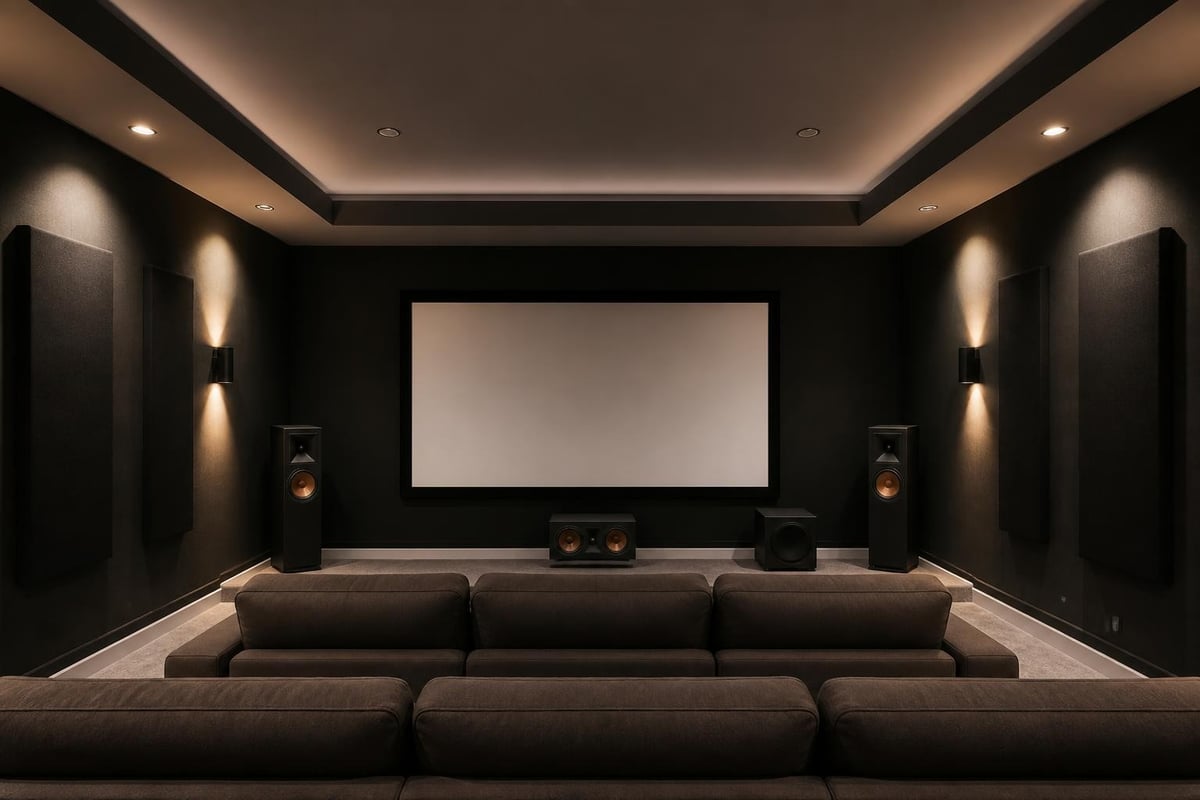
Basement locations often provide excellent home cinema set up opportunities due to natural sound isolation and easier light control. However, any room can work with proper acoustic treatment and design considerations.
Acoustic Treatment Essentials
Sound quality depends equally on your equipment and room acoustics. Untreated rooms create reflections, echoes, and frequency imbalances that degrade even premium audio systems.
| Treatment Type | Purpose | Placement |
|---|---|---|
| Absorption panels | Control mid-high frequency reflections | First reflection points on walls |
| Bass traps | Manage low-frequency buildup | Room corners and wall-ceiling junctions |
| Diffusers | Scatter sound for natural ambience | Rear wall behind seating |
| Acoustic curtains | Reduce window reflections | Over windows and glass surfaces |
First reflection points require particular attention in your home cinema set up. These locations where sound bounces from speakers to listeners should have absorption panels measuring at least 2 inches thick.
The subwoofer crawl technique helps identify optimal subwoofer placement for balanced bass response throughout the seating area. Professional acoustic measurements using calibrated microphones reveal room-specific issues that targeted treatment resolves.
Display Technology and Screen Selection
Your display serves as the visual centerpiece of the home cinema set up experience. The choice between projection systems and large-format displays depends on room size, ambient light control, and viewing preferences.
Projector Systems
Dedicated home cinema rooms benefit most from projection systems that deliver truly cinematic screen sizes. Modern 4K projectors with HDR support reproduce stunning image quality when paired with appropriate screens.
Projector selection considerations:
- Native 4K resolution for detailed images at large sizes
- High dynamic range (HDR10, Dolby Vision) for expanded contrast
- Lumens output matched to screen size and room lighting
- Throw distance compatibility with room dimensions
- Lens shift and zoom for flexible installation options
Short-throw and ultra-short-throw projectors enable large images in compact spaces. These specialized units project from just inches or feet away from the screen, making them ideal for smaller home cinema set up configurations.
Screen selection impacts image quality as much as the projector itself. Acoustically transparent screens allow speakers to hide behind the display, creating a more authentic cinema experience. Gain ratings determine how much light the screen reflects, with higher gains brightening images in rooms with ambient light challenges.
Large-Format Display Options
Multi-purpose rooms often benefit from large OLED or QLED displays that perform well with ambient light. Premium 77-inch and 85-inch models deliver impressive image quality without requiring complete darkness.
Display mounting height should position the center of the screen at seated eye level. This typically places the bottom edge 24 to 30 inches from the floor in most home cinema set up installations.
Audio System Architecture
Sound quality defines the immersive nature of your home cinema set up more than any other factor. Modern surround sound systems create three-dimensional soundscapes that place you inside the action.
Speaker Configuration Options
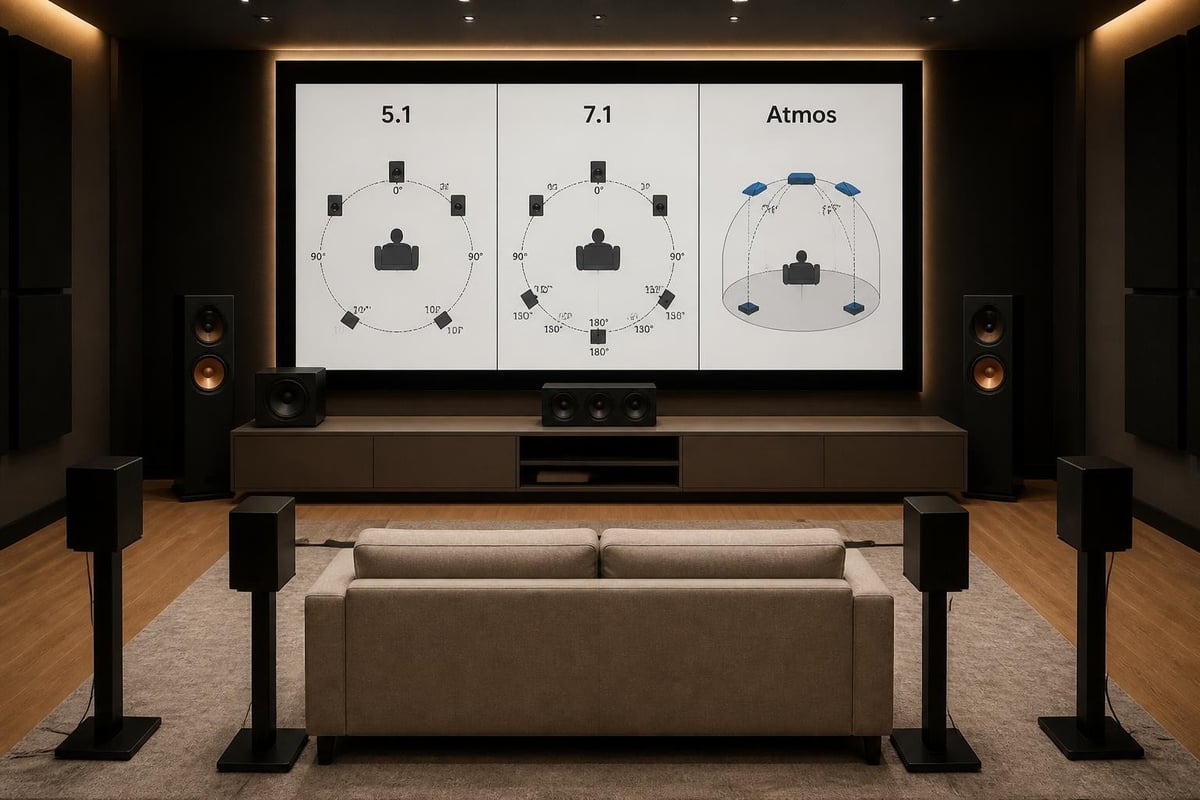
Dolby Atmos and DTS:X object-based audio formats require height channels for overhead sound effects. Dolby’s home theater setup guide provides detailed placement recommendations for various configurations.
Common speaker layouts include:
- 5.1 Systems: Five speakers plus one subwoofer for traditional surround sound
- 7.1 Systems: Adds rear surround speakers for enhanced immersion
- 5.1.2 Atmos: Includes two height speakers for overhead effects
- 7.1.4 Atmos: Four height speakers for precise object positioning
- 9.1.6 Atmos: Ultimate configuration with comprehensive coverage
The first number indicates ear-level speakers, the second represents subwoofers, and the third denotes height channels. Your room size and budget determine the appropriate configuration for your home cinema set up.
Premium Speaker Solutions
High-performance speakers designed specifically for cinema applications deliver superior dynamic range and tonal accuracy. For those seeking exceptional sound quality, home cinema room installations often incorporate specialized cinema speakers that handle the explosive dynamics and subtle nuances of modern movie soundtracks with equal precision.
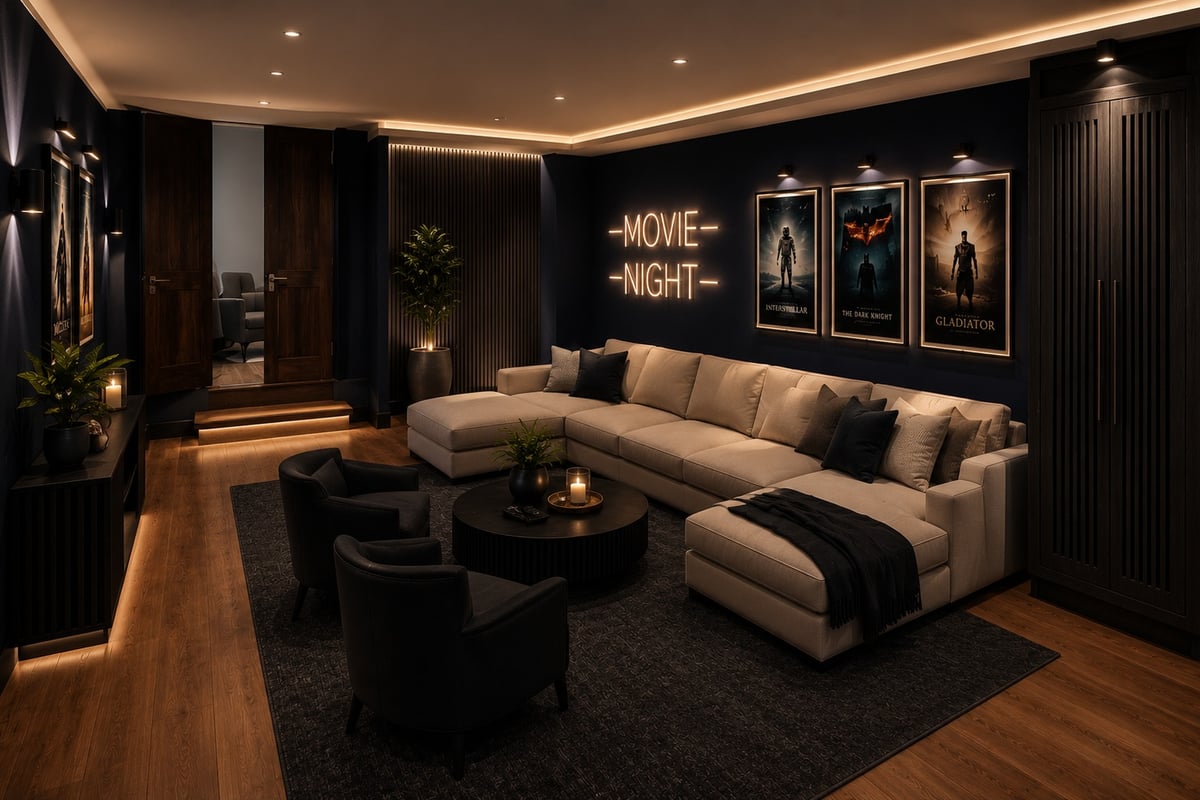
Speaker placement follows strict guidelines for optimal performance. Front left and right speakers should angle toward the primary listening position at 22 to 30 degrees from center. Surround speakers position 90 to 110 degrees to the sides, slightly above ear level.
In-wall and in-ceiling speakers provide clean aesthetics in your home cinema set up while delivering excellent performance. Quality architectural speakers feature directional tweeters and robust woofers that match the output of traditional box speakers.
AV Receiver and Processing
The AV receiver serves as the command center for your home cinema set up, processing video signals, decoding surround sound formats, and powering speakers.
Receiver Specifications
Modern receivers must handle current and emerging audio-visual standards. Key specifications include:
| Feature | Importance | Minimum Recommendation |
|---|---|---|
| HDMI inputs | Source connectivity | 6+ ports |
| HDMI 2.1 support | 8K, 4K/120Hz gaming | Yes for future-proofing |
| Dolby Atmos decoding | Height channel processing | 7.1.4 minimum |
| Power output | Speaker drive capability | 100W per channel |
| Room correction | Acoustic optimization | Audyssey MultEQ XT32 or equivalent |
Dedicated power amplifiers enhance performance in larger rooms or with demanding speakers. Separating processing from amplification reduces electrical noise and provides greater headroom for dynamic peaks.
Automated Room Calibration
Room correction systems analyze acoustic properties using measurement microphones. These systems adjust frequency response, timing, and levels to compensate for room effects. Advanced calibration takes multiple measurements from various seating positions to optimize the entire listening area.
Manual fine-tuning after automated calibration often improves results. Professional calibrators use specialized measurement tools to refine the home cinema set up beyond what automatic systems achieve. Expert approaches to custom installations emphasize the importance of proper acoustic design combined with precise calibration.
Seating and Viewing Distance Optimization
Comfortable seating positioned at optimal viewing distances maximizes the home cinema set up experience. The relationship between screen size and seating distance determines perceived immersion.
Calculating Viewing Distance
THX recommends a 40-degree viewing angle for cinema-like immersion. This calculation positions viewers where the screen fills their peripheral vision without requiring excessive head movement.
Viewing distance formulas:
- Minimum distance: Screen width × 1.2
- Maximum distance: Screen width × 1.8
- Ideal cinema distance: Screen width × 1.5
For a 120-inch diagonal 16:9 screen (104.6 inches wide), ideal seating ranges from 8.7 to 13 feet, with 10.4 feet providing the most immersive experience.
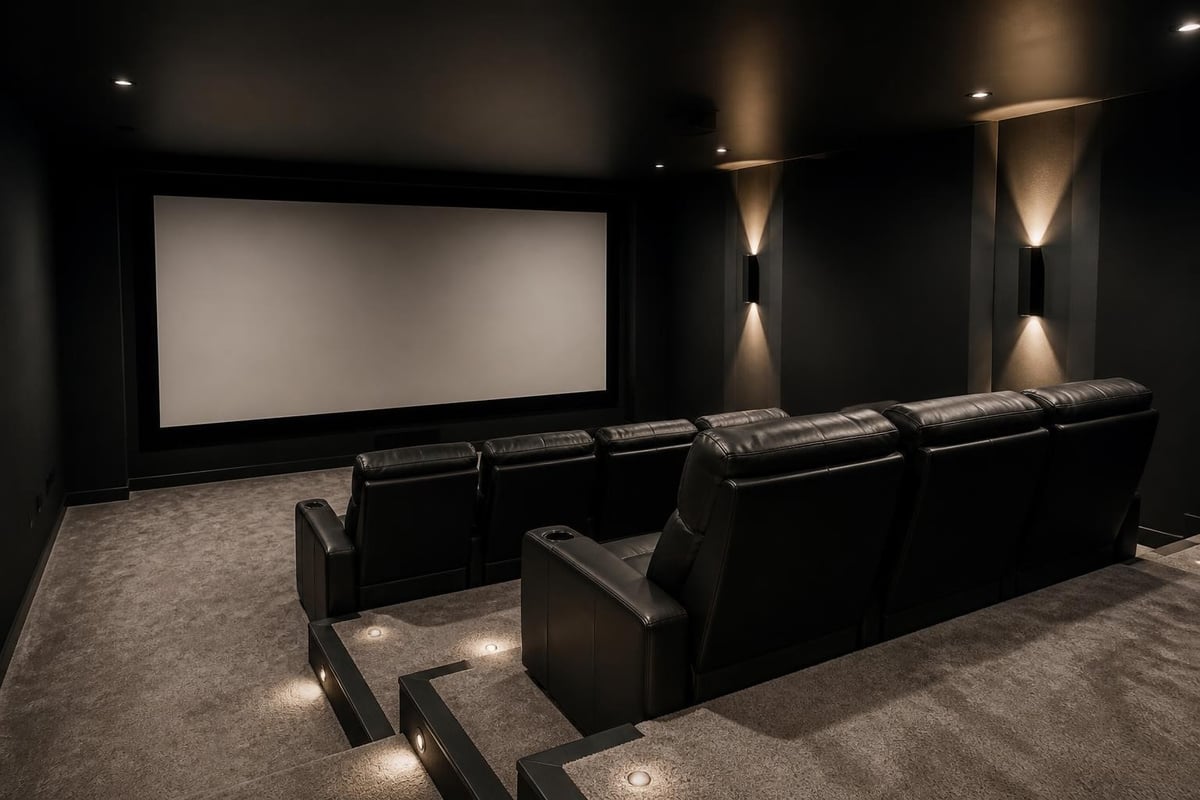
Multi-row seating requires riser platforms to prevent the front row from blocking rear viewers. Risers should elevate each subsequent row by at least 12 inches to maintain clear sightlines over seated heads.
Seating Selection
Dedicated home theater seating offers features specifically designed for extended viewing comfort. Motorized reclining mechanisms, integrated cup holders, and storage compartments enhance usability without compromising room aesthetics.
Seating arrangement impacts audio performance in your home cinema set up. The primary listening position should align with the center speaker, creating symmetrical spacing to left and right front speakers. Multiple seats benefit from a slight arc formation that maintains consistent speaker angles.
Lighting Control and Ambient Environment
Controlled lighting environments separate exceptional home cinema set up installations from basic configurations. Light management impacts both visual performance and viewing comfort.
Lighting Design Principles
Complete darkness maximizes contrast and color saturation from projection systems. However, some ambient lighting prevents eye strain during extended viewing sessions and allows safe movement during movies.
Effective lighting strategies include:
- Dimmable LED strips along risers for pathway illumination
- Sconce lighting on side walls with warm color temperatures
- Fiber optic star ceiling effects for ambient glow
- Smart lighting systems with scene programming
- Blackout shades or curtains for complete light control
Lighting control systems integrate with AV equipment through automation platforms. Pressing "Movie" on a control system can simultaneously dim lights, lower shades, power on equipment, and select content sources.
Color temperature affects viewing comfort significantly. Warm white (2700K-3000K) creates a relaxing environment that doesn't interfere with display calibration. Avoid cool white or blue-tinted lighting that causes eye fatigue.
Cable Management and Infrastructure
Professional home cinema set up installations feature comprehensive cable management that maintains clean aesthetics while ensuring reliable signal transmission.
Structured Wiring Approach
Planning cable pathways before construction or renovation prevents visible wires and enables future upgrades. In-wall rated cables meet building codes for safe concealed installation.
HDMI cable length and quality matter significantly for reliable 4K and 8K signal transmission. Active HDMI cables or fiber optic HDMI solutions maintain signal integrity over distances exceeding 25 feet. Common installation mistakes often involve insufficient planning for cable management and future expansion needs.
Dedicated conduit provides the ultimate flexibility for your home cinema set up. Running multiple conduits between equipment locations and speakers allows pulling new cables as technology evolves without opening walls.
Equipment Rack Design
Centralized equipment racks organize AV components while providing proper ventilation and accessibility. Rack-mounted equipment simplifies connections and troubleshooting compared to stacked components on shelves.
Ventilation prevents overheating that degrades performance and shortens equipment lifespan. Equipment racks require 3 to 4 inches of clearance around components with active cooling or rear-mounted ventilation fans.
Smart Integration and Control Systems
Modern home cinema set up configurations integrate with whole-home automation platforms. Unified control systems simplify operation while enabling advanced functionality.
Control System Options
Universal remotes provide basic integration, consolidating multiple device controls into single units. Advanced systems offer touchscreen interfaces, smartphone apps, and voice control through virtual assistants.
Control system capabilities include:
- One-touch activity launching (movie, sports, gaming)
- Automated equipment power sequencing
- Source switching across multiple zones
- Climate control integration for optimal room temperature
- Security system coordination for enhanced privacy
Smartphone and tablet control apps eliminate dedicated remotes entirely. These applications provide intuitive interfaces with artwork displays, content browsing, and system status monitoring.
Voice control through Alexa, Google Assistant, or Siri adds convenience for common tasks. Simple commands adjust volume, switch sources, or control lighting without touching any physical interface.
Source Components and Content Delivery
High-quality source components ensure your home cinema set up delivers the full potential of premium displays and audio systems.
Physical Media Players
4K Ultra HD Blu-ray players remain the gold standard for video and audio quality. These players support HDR formats, lossless audio codecs, and contain no bandwidth limitations that affect streaming services.
Gaming consoles serve dual purposes as media players and interactive entertainment platforms. PlayStation 5 and Xbox Series X support 4K/120Hz output, making them valuable additions to modern home cinema set up configurations designed for versatile use.
Streaming Integration
Network streaming devices access vast content libraries through subscription services. Premium streaming requires robust network infrastructure with sufficient bandwidth for 4K HDR content.
Hardwired Ethernet connections provide superior reliability compared to Wi-Fi for streaming in your home cinema set up. Dedicated network switches near equipment racks ensure consistent performance across multiple simultaneous streams.
Media servers centralize personal content collections, providing access to ripped Blu-rays, downloaded files, and recorded content. Network-attached storage (NAS) devices with sufficient capacity handle large 4K libraries while streaming to multiple devices simultaneously.
Design Inspiration and Custom Installations
Extraordinary home theater installations demonstrate the creative possibilities within home cinema set up projects. Custom designs incorporate unique themes, advanced technology, and architectural elements that transform spaces into destination entertainment venues.
Themed environments recreate specific cinema aesthetics, from classic art deco movie palaces to modern luxury screening rooms. Custom millwork, specialty lighting, and period-appropriate finishes create immersive environments that enhance the viewing experience before movies begin.
Budget-conscious transformations prove that effective home cinema set up doesn't require unlimited resources. Strategic component selection, DIY acoustic treatment, and smart room optimization deliver impressive results at various investment levels.
Sports-focused installations like custom Dolby Atmos systems demonstrate specialized approaches to home cinema set up design. These configurations prioritize different performance characteristics optimized for live events rather than cinematic content.
Maintenance and Calibration
Ongoing maintenance preserves performance and extends equipment lifespan in your home cinema set up. Regular attention to several key areas prevents degradation and maintains optimal operation.
System Calibration Schedules
Annual recalibration accounts for component aging and environmental changes. Speaker positions shift slightly over time, acoustic properties change with furniture additions, and display settings drift from factory specifications.
Professional calibration services use specialized equipment to measure and optimize every aspect of your home cinema set up. Spectroradiometers measure display color accuracy, while calibrated microphones assess acoustic performance across the frequency spectrum.
Routine maintenance tasks include:
- Cleaning projector filters monthly to maintain brightness
- Updating firmware on receivers and processors quarterly
- Inspecting cable connections for corrosion annually
- Vacuuming speaker grilles to remove dust accumulation
- Verifying HDMI handshakes after equipment updates
Display calibration extends beyond brightness and contrast adjustments. Professional calibrators adjust color temperature, gamma curves, and color management systems to achieve accurate reproduction matching industry standards.
Future-Proofing Considerations
Technology evolution requires planning for future capabilities within your home cinema set up. Strategic decisions during initial installation enable cost-effective upgrades as standards advance.
Infrastructure Investment
Oversized conduits accommodate future cable additions without wall modifications. Installing multiple conduit runs between key locations provides maximum flexibility as connectivity requirements evolve.
Electrical capacity planning prevents circuit limitations when adding equipment. Dedicated 20-amp circuits support high-powered amplifiers and multiple components without creating power quality issues.
Network infrastructure increasingly impacts home cinema set up performance. Category 6A or fiber optic cable installations support multi-gigabit speeds required for 8K streaming and network-attached processing equipment.
Emerging Technologies
8K displays and projectors represent the next resolution milestone, though native 8K content remains limited in 2026. HDMI 2.1 support throughout your signal chain ensures compatibility when 8K sources become mainstream.
Wireless audio transmission technologies eliminate speaker cables in specific applications. WiSA and other standards deliver lossless multichannel audio, though professional installations still prefer hardwired connections for reliability.
Artificial intelligence enhancements in video processing upscale lower resolution content to match display capabilities. These technologies improve existing content libraries as source material quality varies significantly across streaming services and broadcast sources.
Implementing a professional home cinema set up requires careful planning across multiple technical disciplines, from acoustic design to display technology and system integration. The investment in proper design and quality components delivers decades of exceptional entertainment value, transforming ordinary viewing into truly immersive experiences. Whether you're converting a dedicated space or optimizing a multi-purpose room, ANR media specializes in custom home cinema installations and audio-visual solutions that bring your entertainment vision to life with expert design, professional installation, and ongoing support.