

The Epson Home Cinema 2150 continues to stand out as a compelling choice for home theater enthusiasts seeking professional-grade projection without the complexity of hardwired installations. As a wireless-capable 1080p projector built on Epson's proven 3LCD technology, this model delivers balanced color reproduction and impressive brightness levels that work well in a variety of viewing environments. For homeowners considering a dedicated cinema space or upgrading from basic television setups, understanding what makes the epson home cinema 2150 tick can help determine if it's the right investment for your entertainment needs.
Projection Technology and Image Quality
The epson home cinema 2150 employs three-chip 3LCD technology, which separates light into red, green, and blue components before projecting them simultaneously. This approach delivers several advantages over competing single-chip DLP systems.
Color Performance and Brightness
With 2,500 lumens of color brightness and an equal rating for white brightness, the projector maintains color accuracy even in rooms with ambient light. Many competing projectors sacrifice color output to achieve higher white brightness numbers, but Epson's balanced approach means you see vibrant, realistic colors whether you're watching nature documentaries or action films.
The official specifications from Epson confirm the projector's 60,000:1 dynamic contrast ratio, which helps render deep blacks alongside bright highlights. This becomes particularly noticeable in scenes with mixed lighting conditions.
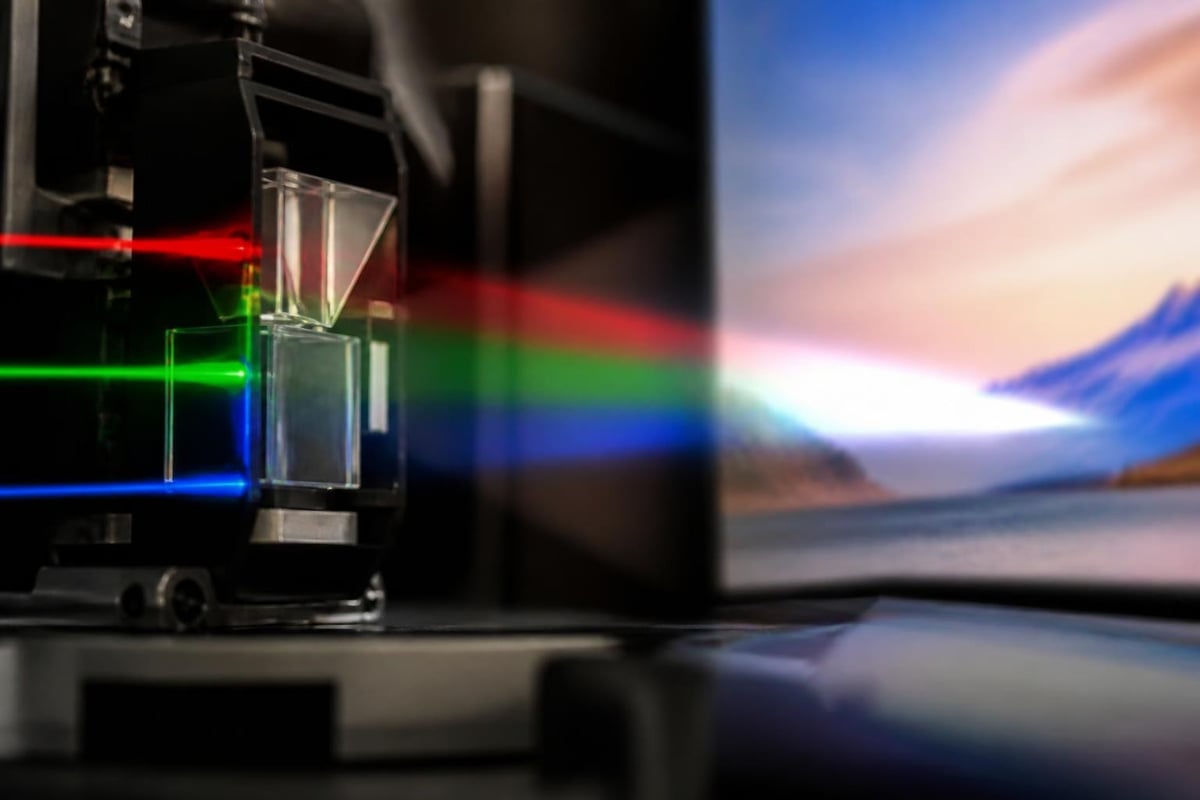
Key color advantages include:
- No rainbow effect (common with DLP projectors)
- Consistent color across the entire brightness range
- Accurate skin tones in movies and television content
- Reduced color decay over time compared to color wheels
Resolution and Screen Size Capabilities
The native 1920 x 1080 Full HD resolution delivers sharp imagery across screen sizes from 30 inches to 300 inches. For most home cinema installations, the sweet spot sits between 100 and 150 inches diagonally, where the epson home cinema 2150 balances image size with maintained clarity.
Pixel density becomes a consideration at larger screen sizes. While the projector physically supports massive displays, viewers sitting closer than 1.5 times the screen width may notice individual pixels beyond 120 inches. Professional installations typically account for viewing distance when selecting screen dimensions.
Connectivity Options and Wireless Capabilities
Modern home entertainment systems demand flexible connectivity, and the epson home cinema 2150 addresses this through both traditional ports and wireless streaming capabilities.
Wired Connection Portfolio
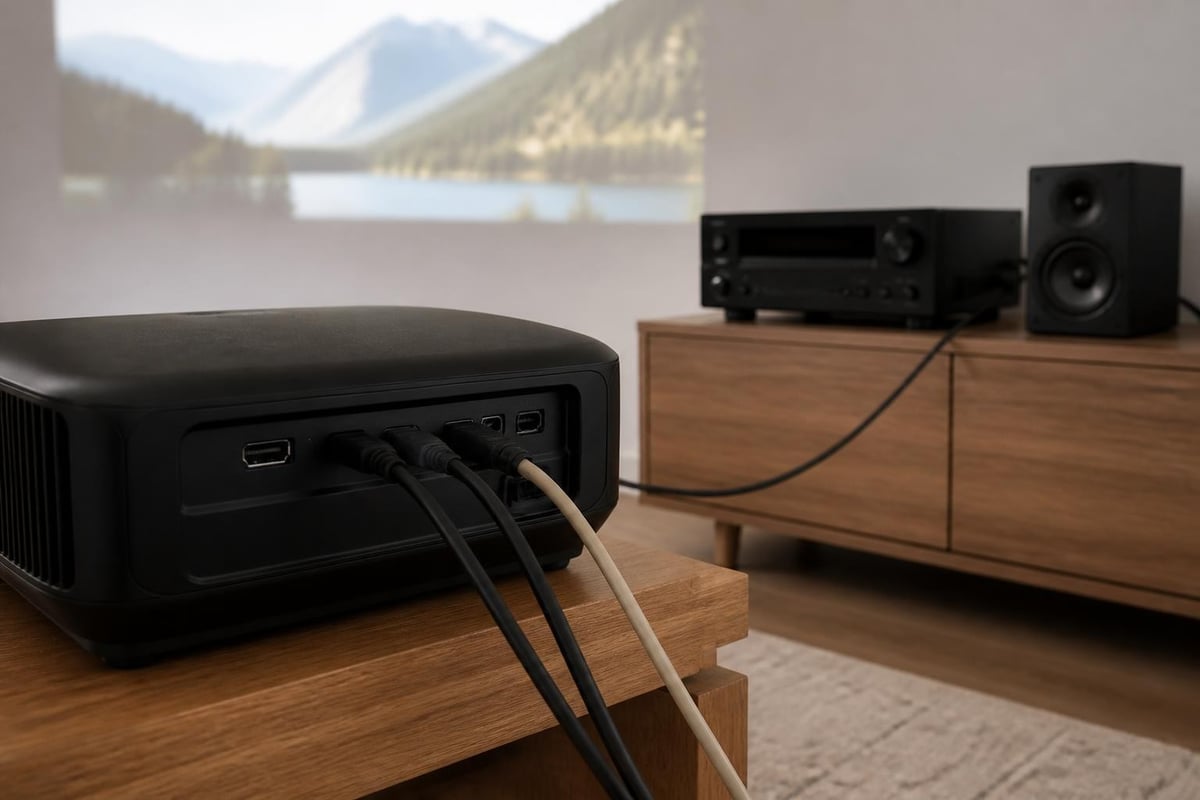
The projector includes two HDMI ports, both supporting HDCP 2.2 for 4K source compatibility (downscaled to 1080p). This dual-port configuration allows permanent connections to multiple sources without constant cable swapping.
| Connection Type | Quantity | Features |
|---|---|---|
| HDMI | 2 | HDCP 2.2, MHL compatible |
| USB Type A | 1 | Power output for streaming devices |
| USB Type B | 1 | Document projection, firmware updates |
| VGA | 1 | Legacy computer connectivity |
| Composite Video | 1 | Older video equipment support |
The MHL-enabled HDMI port allows direct connection and charging of compatible smartphones and tablets, though this feature has become less relevant as wireless streaming has matured.
Wireless Streaming Performance
The integrated wireless module supports Miracast for Android devices and includes Epson's iProjection app for iOS compatibility. This eliminates the need for HDMI cables running across rooms, though performance reviews from TechGearLab note occasional latency with fast-moving content when using wireless connections.
For serious home cinema applications, wired HDMI connections still provide the most reliable performance, particularly for high-bitrate 1080p content from Blu-ray players or streaming devices. The wireless capability works best for:
- Casual content streaming from mobile devices
- Presentation applications
- Situations where cable routing is impractical
- Temporary or portable setups
Lens System and Installation Flexibility
The optical characteristics of the epson home cinema 2150 influence where and how you can install it effectively. Understanding these parameters helps avoid common setup frustrations.
Zoom and Throw Distance
The 1.2x optical zoom provides limited placement flexibility compared to higher-end models with 2.0x or greater zoom ranges. In practical terms, this means you have roughly 20% adjustment in image size without physically moving the projector.
Throw distance calculations:
- For a 100-inch diagonal screen: 9 to 11 feet from screen
- For a 120-inch diagonal screen: 11 to 13 feet from screen
- For a 150-inch diagonal screen: 14 to 16 feet from screen
The relatively short throw distance works well for smaller dedicated theater rooms but may require creative mounting solutions in longer spaces. Ceiling mounts with extension arms can position the projector at the ideal distance even in oversized rooms.
Lens Shift Capabilities
Vertical lens shift allows positioning adjustment without introducing keystone distortion. The epson home cinema 2150 offers approximately 60% vertical range (split 30% up and 30% down from center), enabling ceiling mounting without angled projection.
This feature proves invaluable in custom installations where the projector mount location is fixed by structural considerations. Rather than tilting the entire projector and creating trapezoidal distortion, lens shift maintains rectangular image geometry while accommodating non-ideal mounting positions.
For custom installations where design aesthetics matter as much as performance, professional integrators often combine projector selection with complementary audio solutions. Home cinema room conversions benefit from coordinated planning that accounts for both visual and acoustic requirements, ensuring the epson home cinema 2150's capabilities integrate seamlessly with premium sound systems and room treatments.
Audio System Integration
While the epson home cinema 2150 includes built-in 10-watt speakers, these serve primarily as convenience features rather than serious audio solutions. Most home theater enthusiasts immediately connect external audio systems.
Sound Output Options
The projector provides several audio extraction methods for routing sound to external speakers or receivers:
- HDMI ARC: Returns audio from streaming apps to compatible receivers
- 3.5mm audio out: Analog connection to powered speakers or amplifiers
- Optical audio out: Digital connection for surround sound receivers
- Bluetooth: Wireless transmission to Bluetooth speakers or headphones
The optical output represents the preferred connection method for home cinema applications, as it supports multi-channel audio formats including Dolby Digital and DTS. This allows the projector to pass through surround sound while maintaining synchronized video.
Calibration and Picture Modes
Straight from the factory, the epson home cinema 2150 ships with several preset picture modes optimized for different content types. Understanding these settings helps maximize image quality for your specific viewing preferences.
Available Picture Modes
| Mode | Best For | Color Temp | Brightness |
|---|---|---|---|
| Dynamic | Bright rooms, sports | Cool | Highest |
| Living Room | Ambient light viewing | Neutral | High |
| Cinema | Dark room movies | Warm | Moderate |
| Bright Cinema | Mixed lighting films | Neutral | High |
| Game | Low-latency gaming | Cool | High |
| 3D | 3D Blu-ray content | Neutral | Optimized |
Cinema mode typically delivers the most accurate color reproduction for dedicated home theater environments with controlled lighting. The slightly warmer color temperature matches theatrical standards and reduces eye fatigue during extended viewing sessions.
Advanced Adjustments
Beyond basic modes, the projector provides granular control over multiple image parameters:
- Color Management: Six-axis hue, saturation, and brightness adjustments
- Gamma Curves: Multiple preset curves plus custom settings
- Frame Interpolation: Motion smoothing with multiple intensity levels
- Detail Enhancement: Sharpness and clarity adjustments
- Noise Reduction: Temporal and spatial filtering for compressed sources
Enthusiasts seeking reference-level accuracy often use calibration equipment to measure and adjust the projector's output. The epson home cinema 2150 stores these custom settings in user memory slots, allowing quick switching between calibrated profiles and standard viewing modes.
Gaming Performance Considerations
As PC HUB’s gaming-focused review demonstrates, the epson home cinema 2150 handles gaming duties reasonably well, though input lag remains higher than dedicated gaming projectors or monitors.
Input Lag Measurements
In Game mode with all processing disabled, input lag measures approximately 27-30 milliseconds. This falls into the acceptable range for casual gaming but may feel sluggish for competitive players accustomed to sub-10ms response times.
Gaming suitability by genre:
- Single-player adventure games: Excellent
- Racing simulators: Very good
- Strategy and turn-based games: Excellent
- Competitive first-person shooters: Fair
- Fighting games requiring precise timing: Poor
The massive screen size the projector enables often compensates for the input lag in immersive single-player experiences. Playing story-driven games on a 120-inch screen creates presence that smaller displays cannot match.
Lamp Life and Operating Costs
Projection systems incur ongoing costs through lamp replacement, making lifetime operating expenses an important consideration alongside initial purchase price.
Expected Lamp Longevity
The epson home cinema 2150 uses a 250-watt UHE (ultra-high efficiency) lamp with rated lifespans varying by brightness mode:
- Normal mode: 3,500 hours
- ECO mode: 5,000 hours
- Optimal brightness (auto): 4,000 hours average
At typical viewing patterns of 20 hours weekly, ECO mode extends lamp life to approximately five years before replacement becomes necessary. Replacement lamps cost between $80 and $120 depending on whether you choose genuine Epson or compatible third-party options.
The projector includes automatic brightness optimization that adjusts lamp output based on content, extending bulb life while maintaining perceived image quality. This represents a middle ground between maximum brightness and maximum economy.
Setup and Installation Process
Getting the epson home cinema 2150 operational requires attention to several factors beyond simply positioning it at the correct throw distance.
Initial Configuration Steps
- Position projector at appropriate distance for desired screen size
- Level the unit using adjustable feet or mount
- Connect video sources via HDMI cables
- Power on and run automatic keystone detection
- Adjust focus and zoom for sharp edge-to-edge clarity
- Configure audio routing to external speakers
- Select and customize appropriate picture mode
- Test wireless connectivity if using streaming features
The comprehensive first-look review from Projector Reviews notes that most users complete basic setup within 30 minutes, though achieving optimal calibration may require additional time.
Common Installation Challenges
Ambient light management represents the primary obstacle in non-dedicated theater spaces. While the projector's 2,500-lumen output handles moderate ambient light, direct sunlight or bright overhead fixtures wash out contrast significantly. Room-darkening shades or blackout curtains dramatically improve perceived image quality.
Ceiling mounting requires proper support for the projector's 7.5-pound weight plus mounting hardware. Standard drywall anchors prove insufficient; installations should anchor into ceiling joists or use spreading mounts designed for projection equipment.
Cable routing deserves planning attention, particularly for HDMI runs exceeding 15 feet. Active HDMI cables or fiber optic HDMI solutions maintain signal integrity over longer distances without the bulk of traditional cables.
Maintenance Requirements
Unlike flat-panel displays that operate maintenance-free for years, projection systems demand periodic attention to maintain optimal performance.
Filter Cleaning Schedule
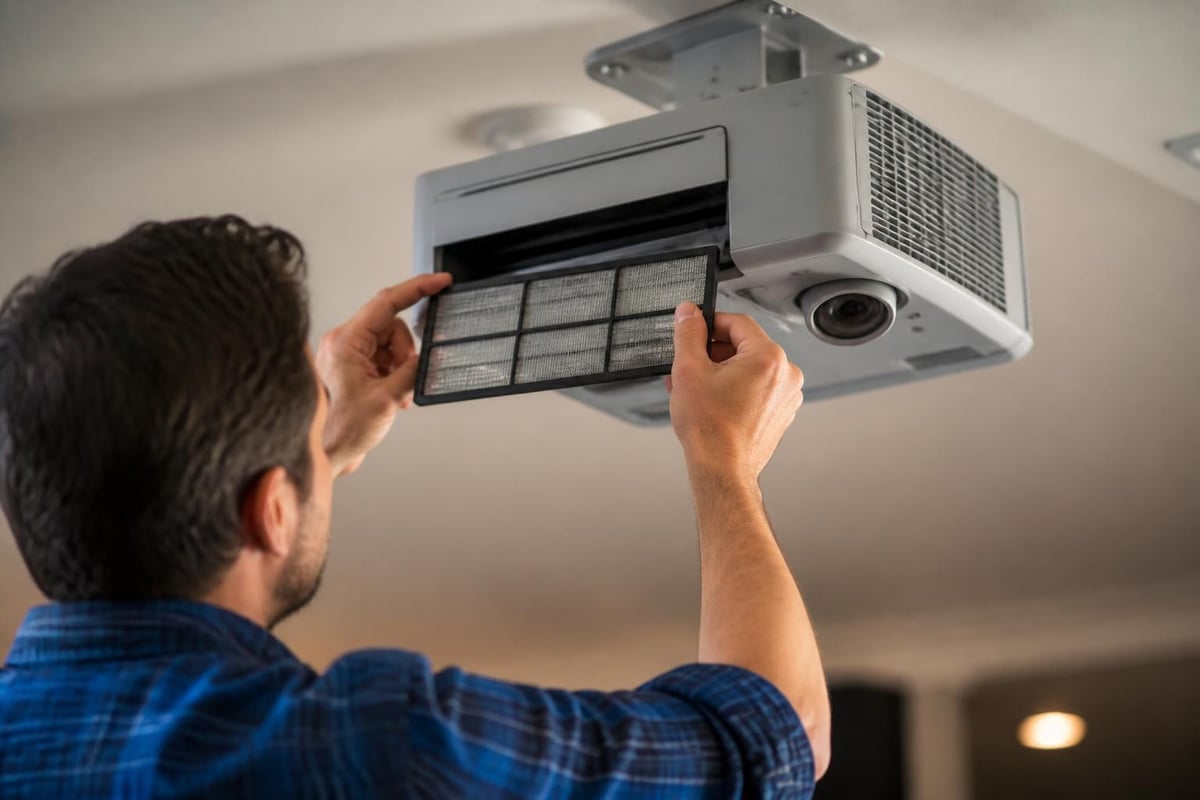
The air filter prevents dust from accumulating on optical components and should be inspected monthly in typical environments. Homes with pets, nearby construction, or poor air quality may require more frequent cleaning.
Cleaning involves:
- Removing the filter panel from the projector side
- Vacuuming both sides of the filter with soft brush attachment
- Washing with mild detergent if heavily soiled
- Ensuring complete drying before reinstallation
Neglected filters reduce airflow, causing the projector to run hotter and potentially shortening lamp life through thermal stress.
Firmware Updates
Epson periodically releases firmware updates addressing bugs, improving compatibility, or adding features. The official support page provides update files and instructions for USB-based installation.
Comparison with Current Market Alternatives
The home projection market has evolved significantly since the epson home cinema 2150's introduction, with 4K models becoming increasingly affordable. Understanding how this 1080p projector compares to modern alternatives helps contextualize its current value proposition.
Price-to-Performance Analysis
At current street prices around $800-$900, the epson home cinema 2150 competes primarily against:
Budget 4K projectors ($900-$1,200) offering higher resolution but often sacrificing brightness, color accuracy, or build quality. The resolution advantage becomes noticeable on screens larger than 120 inches at typical viewing distances.
Higher-lumen 1080p models ($700-$1,000) from BenQ, Optoma, and ViewSonic that trade Epson's superior color accuracy for raw brightness in ambient light conditions.
Laser projectors starting around $1,500 that eliminate lamp replacement costs and offer instant-on convenience, though entry-level laser models often compromise on contrast and color performance.
The decision largely hinges on priorities. Viewers who value accurate color reproduction and artifact-free motion in controlled lighting environments find the epson home cinema 2150 competitive even against newer technologies.
Use Case Scenarios
Understanding where this projector excels versus where it struggles helps set appropriate expectations.
Ideal Applications
Dedicated home theaters with light control represent the sweet spot. The balanced color, adequate brightness, and extensive calibration options create cinematic experiences that justify the projector's capabilities.
Multi-purpose media rooms where the projector serves movie nights, sports viewing, and occasional gaming benefit from the wireless connectivity and quick-switching picture modes.
Outdoor movie events during evening hours work surprisingly well, as the 2,500-lumen output overcomes twilight ambience on screens up to 150 inches when paired with appropriate outdoor screens.
Less Suitable Scenarios
Bright living rooms with large windows and white walls struggle to provide the contrast necessary for engaging viewing, even with the projector's decent brightness specification.
Competitive gaming setups where every millisecond matters should look toward displays with sub-15ms input lag rather than projection systems optimized for cinematic reproduction.
Environments requiring 4K resolution for detailed productivity work or ultra-high-definition content consumption should consider native 4K projectors despite the price premium.
Long-Term Ownership Experience
Beyond initial setup and configuration, the projector's ongoing usability influences overall satisfaction. User reports and professional reviews provide insight into how the epson home cinema 2150 performs over extended ownership periods.
The detailed analysis from Epson’s product page highlights reliability as a strength, with three-year warranties covering both the projector and lamp against defects.
Common long-term observations:
- Color accuracy remains stable over thousands of hours
- Fan noise increases slightly as dust accumulates
- Wireless performance may degrade without router firmware updates
- Lamp brightness gradually diminishes in final 500 hours of rated life
- Remote control button sensitivity decreases with heavy use
Proactive maintenance and realistic expectations about lamp replacement cycles contribute to sustained satisfaction throughout the projector's operational life.
Integration with Smart Home Systems
While the epson home cinema 2150 predates comprehensive smart home integration, several connection methods enable automation and remote control beyond the included infrared remote.
Control Options
RS-232 serial control allows integration with professional automation systems from Control4, Crestron, and Savant. This requires additional hardware but enables sophisticated programming including automated screen deployment, lighting dimming, and source switching.
Network control via Ethernet or WiFi supports Epson's projector management software, enabling remote power control, source selection, and status monitoring from computers or mobile devices on the same network.
HDMI-CEC provides basic control when connected to CEC-compatible receivers or switchers, allowing single-remote operation for power and source selection.
For homeowners building comprehensive automation systems, the available control protocols ensure the projector integrates smoothly rather than operating as an isolated component.
The epson home cinema 2150 delivers balanced performance that continues serving home theater enthusiasts well in 2026, particularly in dedicated viewing environments where its strengths in color accuracy and motion handling shine. While newer 4K alternatives have emerged, the proven reliability and calibrated image quality of this model maintain its relevance for viewers prioritizing cinematic accuracy over resolution specifications. If you're considering a comprehensive home entertainment solution that coordinates projection, audio, and room design into a cohesive experience, ANR media specializes in custom home cinema installations that transform ordinary spaces into extraordinary entertainment environments tailored to your specific needs and preferences.