

Sonos has revolutionized home audio by making surround sound accessible to homeowners who want cinema-quality experiences without the complexity of traditional wired systems. The company's wireless ecosystem enables users to build sophisticated multi-speaker configurations that rival dedicated home theaters, all while maintaining the elegant simplicity Sonos is known for. Understanding how to leverage sonos surround sound technology properly can transform any living room into an immersive entertainment space that delivers professional-grade performance.
Understanding the Sonos Surround Sound Ecosystem
The foundation of any sonos surround sound system starts with selecting the right soundbar as your primary channel. Sonos offers three flagship options: the Arc, the Beam, and the Ray. Each serves as the command center that processes audio signals and coordinates with satellite speakers to create a cohesive surround field.
The Arc represents the premium tier, featuring eleven internal drivers and support for Dolby Atmos spatial audio. This soundbar excels in medium to large rooms where ceiling reflections can enhance overhead effects.
The Beam occupies the mid-range position with five drivers and compact dimensions suited to smaller spaces. Despite its size, the Beam delivers impressive dialogue clarity and center channel performance.
The Ray serves as the entry point, offering stereo soundbar performance that can be expanded into a full surround configuration as budgets allow.
Building Your Surround Speaker Array
Once you've selected your primary soundbar, constructing a true sonos surround sound environment requires adding rear satellite speakers. Sonos provides several options depending on your aesthetic preferences and performance requirements.
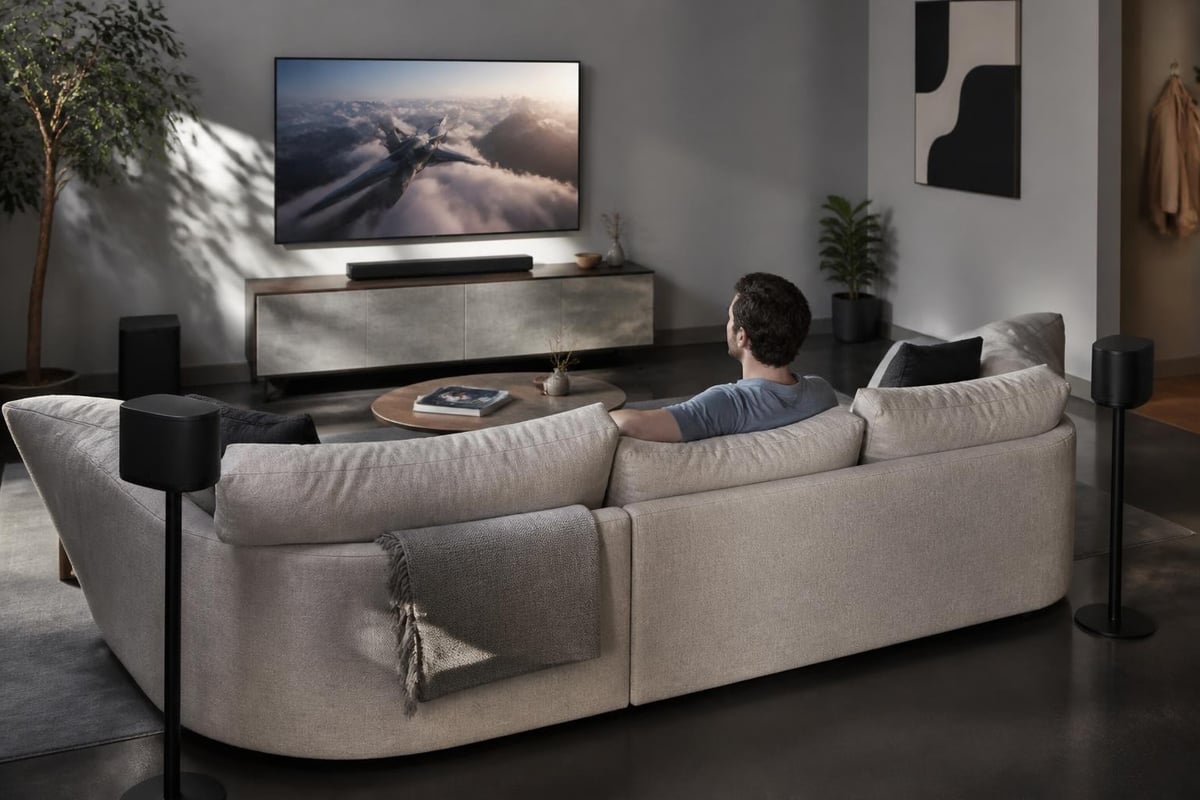
The most popular configuration pairs any Sonos soundbar with two Era 100 or Era 300 speakers positioned behind the listening area. The Era 300 speakers bring significant advantages for Atmos content, thanks to their upward-firing drivers that create genuine height channels rather than relying solely on psychoacoustic tricks.
For those seeking discreet integration, the older One SL models still provide excellent rear channel performance at a lower price point. Some installations benefit from in-ceiling Sonance speakers, which Sonos designed specifically for architectural integration while maintaining wireless connectivity and tuning compatibility.
Technical Considerations for Professional Installation
Implementing sonos surround sound in a custom home cinema requires attention to several technical factors that casual users might overlook. Network infrastructure forms the foundation of reliable wireless performance, particularly when transmitting high-resolution Dolby Atmos streams that demand consistent bandwidth.
| Technical Requirement | Minimum Specification | Professional Recommendation |
|---|---|---|
| Network Bandwidth | 20 Mbps available | Dedicated 5 GHz SSID with 50+ Mbps |
| Router Proximity | Within 30 feet | Wired Boost or mesh extender |
| HDMI Connection | ARC compatible | eARC for lossless audio |
| Subwoofer Count | One Sub Mini or Sub | Dual Sub (Gen 3) for rooms over 400 sq ft |
| Power Outlets | One per speaker | Dedicated 15A circuit recommended |
HDMI eARC and Audio Format Support
The connection between your television and Sonos soundbar determines which audio formats your system can process. Standard ARC (Audio Return Channel) supports compressed Dolby Digital 5.1, which provides acceptable performance but limits dynamic range and channel separation.
Enhanced Audio Return Channel (eARC) unlocks the full potential of sonos surround sound by passing lossless Dolby Atmos and Dolby TrueHD signals from your TV to the soundbar. This distinction matters significantly when streaming from Apple TV 4K, NVIDIA Shield, or playing Ultra HD Blu-ray discs that contain object-based audio tracks.
Many 2026 televisions support eARC, but proper configuration often requires specific settings in both the TV menu and the source device. Professional installers verify signal path integrity using Sonos app diagnostics to confirm the system receives the intended audio format rather than a downmixed alternative.
Room Calibration and Acoustic Optimization
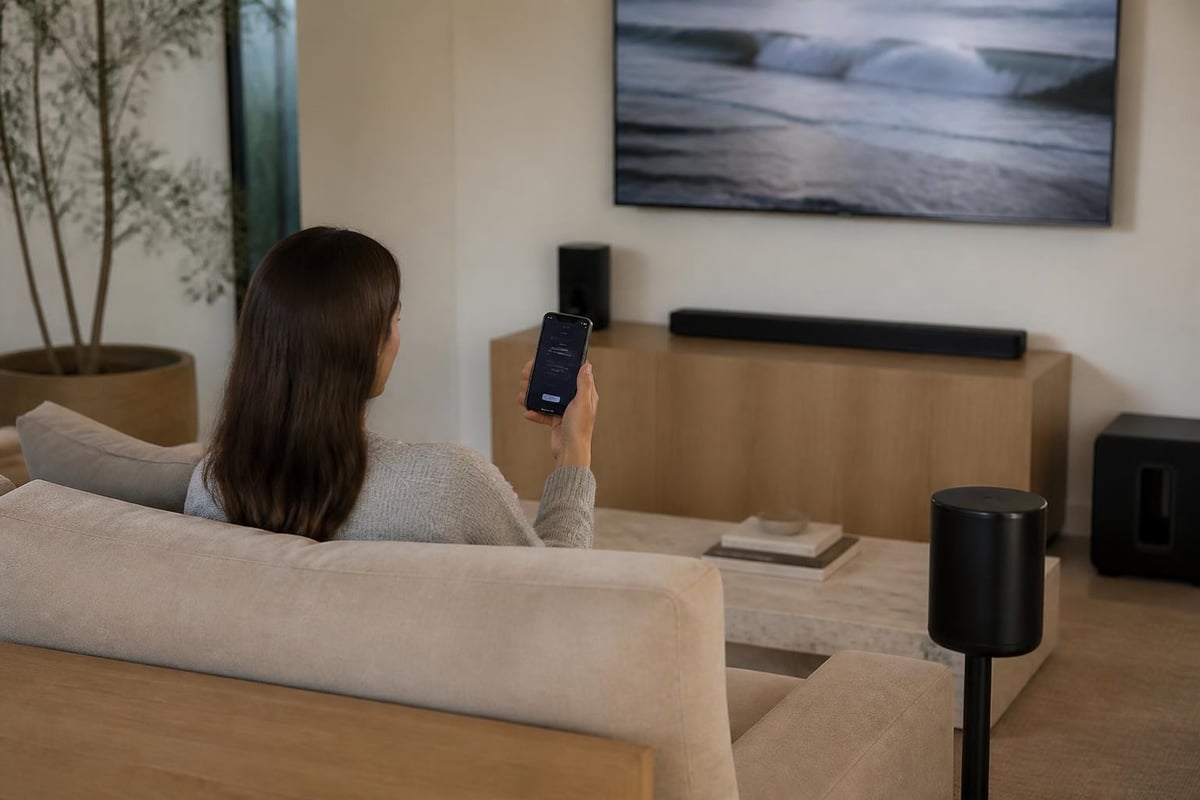
Sonos builds automatic room correction directly into its ecosystem through Trueplay tuning technology, which uses the microphones in your iOS device to measure how sound reflects within your specific space. This process adjusts frequency response, timing, and level across all speakers in your sonos surround sound configuration.
The calibration routine takes approximately five minutes per room. You'll walk around your primary seating area while the system plays test tones, allowing Trueplay to map acoustic reflections and identify problematic room modes. The algorithm then applies digital signal processing to compensate for structural irregularities that would otherwise color the sound.
Manual Tuning for Advanced Users
Beyond Trueplay's automatic adjustments, the Sonos app exposes several manual controls that experienced installers leverage to fine-tune performance:
- Surround Audio Level: Adjusts rear speaker volume relative to the soundbar (-15 to +15 range)
- Surround Audio Delay: Synchronizes rear channels if wireless latency creates timing issues
- Sub Audio Level: Controls low-frequency output independently (-15 to +15)
- Height Audio Level: Balances Atmos overhead effects (Arc and compatible speakers only)
- Speech Enhancement: Boosts dialogue frequencies when background noise interferes
- Night Sound: Compresses dynamic range for late-night viewing
Professional installations often deviate from Trueplay's defaults based on client preferences. Home theater enthusiasts typically prefer more aggressive surround levels (+3 to +6) than the algorithm suggests, creating a more enveloping soundfield that emphasizes discrete rear channel effects.
Content Sources and Streaming Integration
Your sonos surround sound system's performance depends heavily on the quality of content feeding into it. Not all streaming services, apps, or devices transmit audio equally, and understanding these differences prevents disappointment after installation.
Streaming Service Audio Quality
Modern streaming platforms offer tiered audio quality, with premium tiers providing the multichannel formats that justify a surround sound investment:
- Netflix Premium: Dolby Atmos on supported titles (requires compatible TV or streaming device)
- Disney+: Atmos available on select content at no additional cost
- Apple TV+: Atmos standard on original programming when streamed via Apple TV 4K
- Amazon Prime Video: Atmos included with Prime membership on supported hardware
- Max: Atmos available on ad-free tier for select Warner Bros. content
Standard definition streams, compressed audio codecs, and base-tier subscriptions typically deliver only stereo or basic 5.1 audio. Your Sonos Arc can upmix these signals to fill all speakers, but the result lacks the discrete channel information that makes true surround sound compelling.
Physical Media Advantages
Ultra HD Blu-ray players connected via eARC remain the gold standard for sonos surround sound demonstrations. These discs contain uncompressed or lossless audio tracks that preserve every nuance the mixing engineer intended, providing noticeably superior clarity, dynamic range, and spatial precision compared to streaming equivalents.
The difference becomes particularly apparent during complex action sequences where streaming compression artifacts manifest as muddy explosions or indistinct directional cues. Clients building dedicated home cinema rooms often allocate budget for a quality 4K player specifically to showcase their audio system's capabilities.
Multi-Room Integration and Whole-Home Audio
One of Sonos's most compelling advantages extends beyond individual room performance. The platform's architectural foundation enables seamless whole-home audio distribution that conventional surround systems cannot match.
A sonos surround sound theater in your media room can integrate with Sonos speakers throughout your home, allowing you to:
- Group Zones: Synchronize multiple rooms for parties or whole-house background music
- Independent Control: Let family members control their room's audio without affecting the home theater
- Voice Integration: Use Amazon Alexa or Google Assistant to control any zone hands-free
- Streaming Flexibility: Play different sources in different rooms simultaneously
This flexibility proves particularly valuable in open-floor-plan homes where the home theater flows into kitchen or dining areas. You can configure the system to play the same audio across connected spaces during casual viewing, then switch to focused surround mode for critical listening sessions.
How Sonos speakers connect across multiple rooms through wireless mesh networking, enabling synchronized playback, independent zone control, and integration between dedicated home theater surround systems and casual listening areas
Professional Installation Advantages
While Sonos markets its products as consumer-friendly, professional installation by specialists like those at ANR media delivers measurable performance improvements that DIY setups rarely achieve. Experienced integrators bring acoustical knowledge, calibration expertise, and integration capabilities that transform good sonos surround sound into exceptional home cinema experiences.
Architectural Integration Options
Custom installers approach speaker placement with architectural sensitivity that preserves interior design while optimizing acoustics. Rather than placing Era 300 speakers on end tables where they collect dust and disrupt sightlines, professionals build:
- Custom Wall Mounts: Precision-placed brackets at ear height and optimal angles
- In-Wall Recesses: Flush-mounted speakers that disappear into wall planes
- Furniture Integration: Speakers incorporated into built-in cabinetry or shelving
- Ceiling Solutions: Sonance architectural speakers for completely invisible surround channels
These approaches satisfy both the acoustic requirements documented in CEDIA’s immersive audio guidelines and the aesthetic demands of high-end residential projects.
Network Infrastructure Design
Professional sonos surround sound installations include network infrastructure planning that ensures reliable wireless performance across all zones. This typically involves:
- Dedicated VLANs separating Sonos traffic from general network congestion
- Quality-of-Service (QoS) rules prioritizing audio streams over background downloads
- Strategically placed access points eliminating wireless dead zones
- Wired Sonos Boost devices creating a dedicated mesh network independent of Wi-Fi
- UPS battery backup protecting against power interruptions that disrupt wireless synchronization
These infrastructure investments prevent the dropouts, stuttering, and synchronization issues that plague consumer-grade installations relying on standard home routers.
Expanding Your System Over Time
Sonos's modular architecture enables clients to start with essential components and expand their sonos surround sound system as budgets allow or needs evolve. This scalability provides a clear upgrade path that protects initial investments.
Common Expansion Sequences
Phase 1 – Foundation: Soundbar plus Sub
Phase 2 – Surround: Add rear speakers for 5.1 configuration
Phase 3 – Enhanced Bass: Add second Sub for dual-subwoofer setup
Phase 4 – Atmos Heights: Upgrade rear speakers to Era 300 for spatial audio
Phase 5 – Multi-Room: Extend to adjacent rooms for whole-home integration
This staged approach spreads costs while delivering meaningful performance improvements at each step. Clients appreciate that each purchase builds on previous components rather than requiring replacement or obsolescence.
Future-Proofing Considerations
When planning long-term sonos surround sound installations, professionals account for technology evolution by:
- Specifying eARC-compatible displays even if current sources don't require it
- Installing conduit paths for future wired connections or power
- Documenting network configurations to simplify future troubleshooting
- Selecting soundbars with processing headroom for upcoming audio formats
- Positioning mount points to accommodate speaker upgrades without patching
The Sonos platform's software update model means your 2026 system receives feature additions and format support for years after installation, but only if the underlying hardware and infrastructure support those capabilities.
Comparing Sonos to Traditional Surround Solutions
Clients often question whether sonos surround sound can match the performance of traditional AV receivers paired with passive speakers. The answer depends on priorities, room constraints, and performance expectations.
| Factor | Sonos Surround | Traditional AVR System |
|---|---|---|
| Installation Complexity | Low – wireless connections | High – wire runs, terminations |
| Aesthetic Impact | Minimal – no visible wiring | Significant – speaker wire visible |
| Expandability | Excellent – add speakers wirelessly | Limited – determined by receiver channels |
| Format Support | Excellent – Atmos via eARC | Excellent – all formats supported |
| Raw Performance Ceiling | Very Good – excellent for most rooms | Exceptional – unlimited headroom |
| Cost at Entry Level | Moderate – $1,500-$2,500 | Low to High – $800-$5,000+ |
| Multi-Room Capability | Native and seamless | Requires separate systems or complex matrix |
| Voice Control | Integrated Amazon Alexa/Google | Requires additional smart home integration |
For rooms under 450 square feet with moderate acoustic treatment, a properly configured sonos surround sound system delivers performance that satisfies all but the most demanding audiophiles. The What Hi-Fi review of the Arc confirms this, noting that the system "competes with dedicated separates costing significantly more."
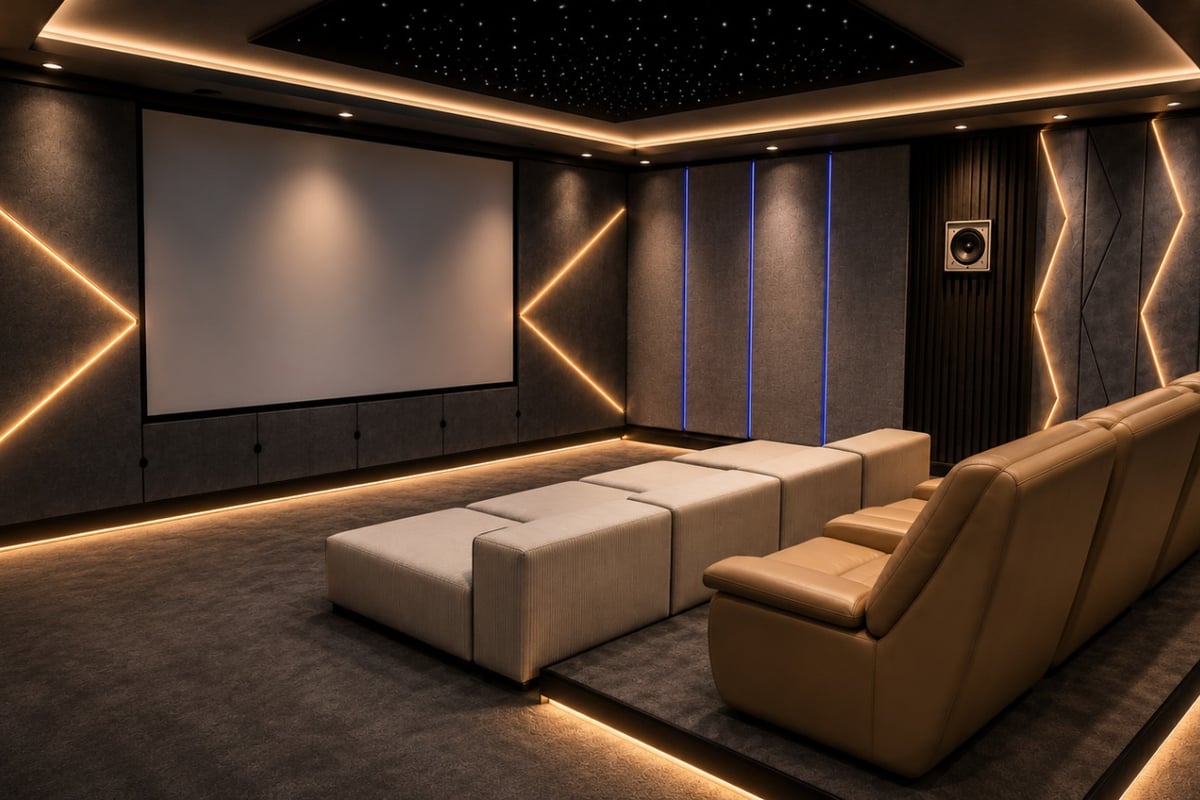
Larger dedicated home cinema rooms benefit from the unlimited scalability of traditional component systems. A home cinema room designed around M&K or Klipsch THX-certified speakers, driven by separates with robust amplification, achieves reference-level dynamics and soundstage precision that wireless systems cannot currently replicate. However, these installations require significantly higher budgets and professional design to achieve their potential.
Common Installation Challenges and Solutions
Even straightforward sonos surround sound installations encounter obstacles that professional experience helps navigate efficiently.
Wireless Interference and Dropout Issues
Dense Wi-Fi environments, particularly in urban apartments or townhomes, create interference that disrupts Sonos communication. Professional solutions include:
- Switching the Sonos system to SonosNet mode using a wired Boost
- Changing Wi-Fi channels to less congested frequencies
- Relocating wireless routers away from speakers to reduce interference
- Adding network switches to hardwire components where wireless proves unreliable
TV Compatibility and Audio Passthrough
Some television models, particularly budget brands or older sets, implement HDMI-ARC inconsistently. This creates situations where the TV downmixes multichannel audio or refuses to pass Atmos signals even when technically compatible. Workarounds include:
- Bypassing the TV by connecting sources directly to an HDMI switch with eARC output
- Updating TV firmware to latest version (many manufacturers improve ARC implementation over time)
- Using optical connection as fallback for problematic HDMI-ARC implementations
- Replacing incompatible TVs when they represent a bottleneck in premium systems
Optimizing Dialog Clarity and Center Channel Performance
One frequent complaint in any surround system involves dialog intelligibility, particularly during content with complex soundtracks mixing music, effects, and speech. Sonos addresses this through both hardware design and software features.
The center channel array in Arc and Beam soundbars uses dedicated drivers positioned specifically for vocal frequency reproduction. TechRadar’s analysis of Sonos soundbars highlights how this physical design choice improves clarity compared to soundbars using generic driver arrangements.
Software enhancements include Speech Enhancement mode, which applies dynamic equalization boosting the 150 Hz to 4 kHz range where human voices concentrate. Night Sound provides complementary compression, reducing the gap between loud explosions and quiet dialog to improve intelligibility at lower volumes.
Professional calibrators often combine these features with manual EQ adjustments targeting the 2-4 kHz band where consonant clarity lives. A 2-3 dB boost in this range, applied through the Sonos app's EQ controls, dramatically improves dialog comprehension without creating unnatural tonal balance.
Subwoofer Integration and Bass Management
Low-frequency performance separates adequate sonos surround sound from truly cinematic experiences. Sonos offers three subwoofer options (Sub Mini, Sub Gen 3, and Sub Gen 4), each serving different room sizes and performance requirements.
The Sub Mini works well in rooms under 200 square feet or for clients prioritizing compact dimensions over ultimate output. Its 6-inch woofer reaches down to 46 Hz, covering most soundtrack content adequately if not reproducing the deepest rumble effects.
Sub Gen 3 and Gen 4 use dual 6-inch force-canceling woofers that eliminate cabinet vibration while producing genuine 25 Hz extension. These models suit medium to large rooms and provide the visceral impact expected in serious home theater installations.
Dual Subwoofer Advantages
High-performance sonos surround sound systems increasingly incorporate two subwoofers, positioned strategically to smooth room mode problems that plague single-subwoofer configurations. The benefits include:
- More uniform bass response across multiple seating positions
- Reduced localization making bass feel integrated rather than directional
- Higher total output without distortion or compression
- Better modal control by exciting room resonances from multiple positions
The Audio Engineering Society’s research on multi-subwoofer systems confirms that even moderate rooms benefit from dual subs placed asymmetrically, with placement optimized through measurement and Trueplay calibration.
Content-Specific Optimization Strategies
Different content types benefit from distinct sonos surround sound configurations, and sophisticated users adjust settings based on what they're watching or listening to.
Feature Films: Maximum surround level (+6), Speech Enhancement off, full dynamic range
Television Drama: Moderate surround level (+2), Speech Enhancement on, Night Sound optional
Live Sports: Reduced surround level (-2), Speech Enhancement on, minimize crowd reverb
Music Concerts: Moderate surround (+3), all processing off, preserve stereo image
Gaming: Maximum surround (+6), reduced sub level, prioritize directional cues
The Sonos app allows saving custom EQ presets, though users must manually switch between them as content changes. Professional installations sometimes incorporate control system integration that automatically adjusts settings based on source selection.
Building an exceptional sonos surround sound system requires balancing technical performance, aesthetic integration, and reliable operation across a wireless ecosystem. The modular nature of Sonos components makes it possible to create configurations ranging from simple soundbar setups to sophisticated multi-room entertainment systems. Whether you're exploring your first wireless surround system or planning a comprehensive whole-home audio solution, partnering with experienced professionals ensures you maximize your investment. ANR media specializes in designing and installing custom home cinema systems that integrate Sonos technology with architectural sensitivity and acoustic precision, delivering immersive entertainment experiences tailored to your space and preferences.