

Building a premium home theater experience requires components that deliver both technical excellence and intuitive operation. Denon has established itself as a trusted name in the audio-video industry, offering receivers, amplifiers, and wireless speakers that cater to enthusiasts seeking cinema-quality sound at home. Whether you're upgrading a living room entertainment system or designing a dedicated screening room, understanding the capabilities and integration options of a denon home theater system helps you make informed decisions that align with your space, budget, and performance expectations.
Understanding the Denon Home Theater Ecosystem
The denon home theater landscape has evolved significantly, particularly with the introduction of HEOS multi-room technology and advanced AV receivers that support the latest audio formats. Denon's product lineup spans entry-level receivers to flagship models, each designed to handle specific room sizes and acoustic challenges.
AVR Receivers as the Foundation
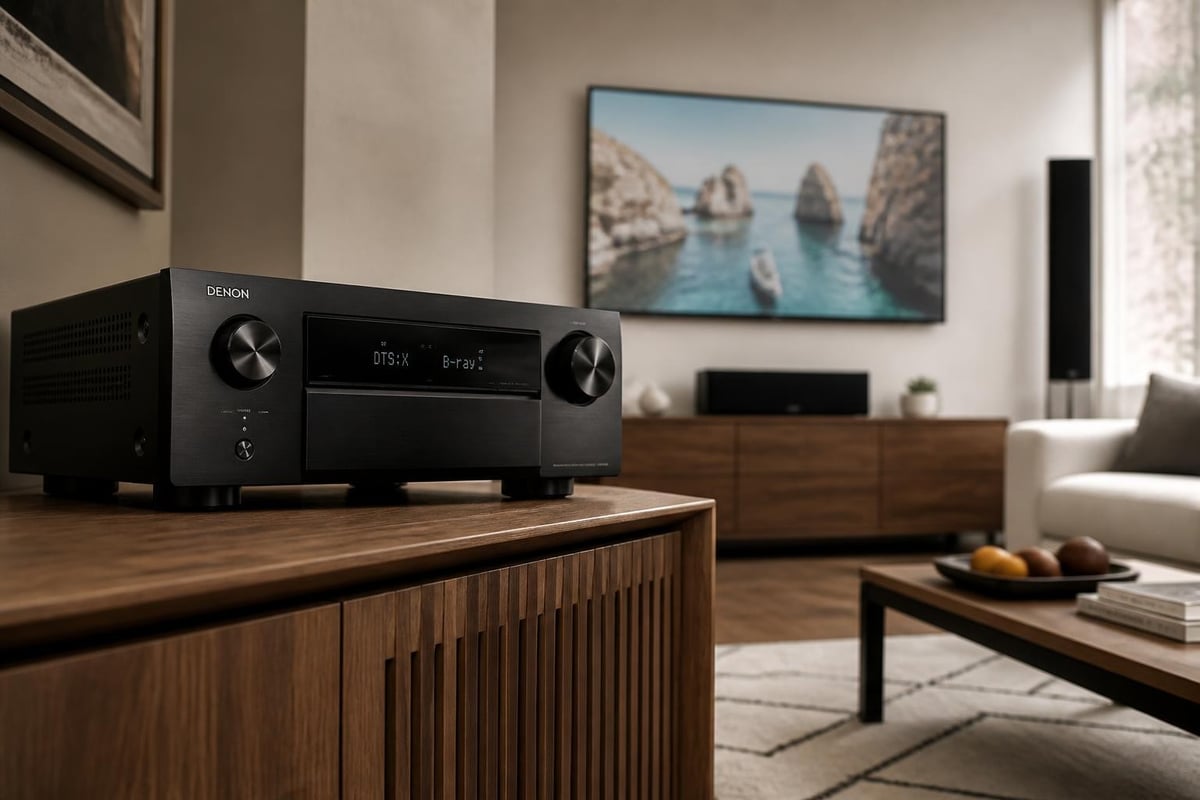
Denon's AV receivers serve as the command center for any home theater setup. Models ranging from the AVR-S series to the high-end AVR-X8500H offer varying channel configurations, power outputs, and feature sets. The 2026 lineup emphasizes 8K video passthrough, HDMI 2.1 compatibility, and support for Dolby Atmos and DTS:X object-based audio formats.
Key specifications to evaluate include:
- Power output per channel (measured in watts at specific impedance)
- Number of channels (5.1, 7.2, 9.2, or more for height speakers)
- Room correction technology (Audyssey MultEQ, MultEQ XT, or MultEQ XT32)
- HDMI inputs and outputs (quantity and eARC support)
- Streaming capabilities (HEOS, AirPlay 2, Bluetooth)
Most Denon receivers now include Audyssey room correction, which analyzes your room's acoustics and adjusts frequency response to compensate for reflections, standing waves, and speaker placement irregularities.
HEOS Multi-Room Integration
The HEOS platform distinguishes Denon's approach to wireless audio. Unlike standalone smart speakers, HEOS-enabled Denon products can synchronize playback across multiple rooms while maintaining the option to integrate with a traditional denon home theater receiver for dedicated listening spaces.
HEOS capabilities include:
- Grouping speakers across different zones
- Independent source selection per room
- High-resolution audio streaming (up to 24-bit/192kHz)
- Voice control through Amazon Alexa, Google Assistant, or Apple HomeKit
The Denon Home series (Home 150, 250, 350, and others) provides wireless options that complement wired theater setups, allowing you to extend audio to kitchens, bedrooms, or outdoor areas without running speaker cable.
Choosing the Right Denon Components
Selecting components for your denon home theater requires balancing performance goals with practical constraints like room dimensions, existing infrastructure, and long-term flexibility.
Receiver Selection Criteria
| Receiver Class | Typical Use Case | Key Features | Price Range |
|---|---|---|---|
| Entry (AVR-S) | Small to medium rooms, 5.1/5.2 setups | 80W/channel, 4K upscaling, basic Audyssey | $500-$800 |
| Mid-range (AVR-X) | Dedicated rooms, 7.2/5.2.2 Atmos | 100-125W/channel, MultEQ XT32, eARC | $1,000-$2,500 |
| Flagship (AVR-X8500H) | Large theaters, 13.2 configurations | 150W/channel, pre-outs, advanced calibration | $3,500-$5,000 |
The decision often hinges on whether you plan to incorporate height channels for Dolby Atmos. A 5.1.2 configuration (five main channels, one subwoofer, two height speakers) requires at least a seven-channel receiver, while more ambitious 7.2.4 layouts demand eleven channels of amplification or external power amplifiers.
Speaker Pairing Considerations
While Denon manufactures wireless speakers, their receivers work with any passive speaker brand. This flexibility allows you to match amplification with speakers optimized for your room's acoustics and aesthetic preferences. Many custom installations pair Denon receivers with specialized cinema speakers that prioritize dialogue clarity and dynamic range.
The Dolby Atmos speaker setup guide provides placement recommendations for height channels, which can be ceiling-mounted, Atmos-enabled upward-firing modules, or strategically angled speakers. Proper placement ensures that overhead effects like rain, aircraft, or ambient environmental sounds accurately localize in three-dimensional space.
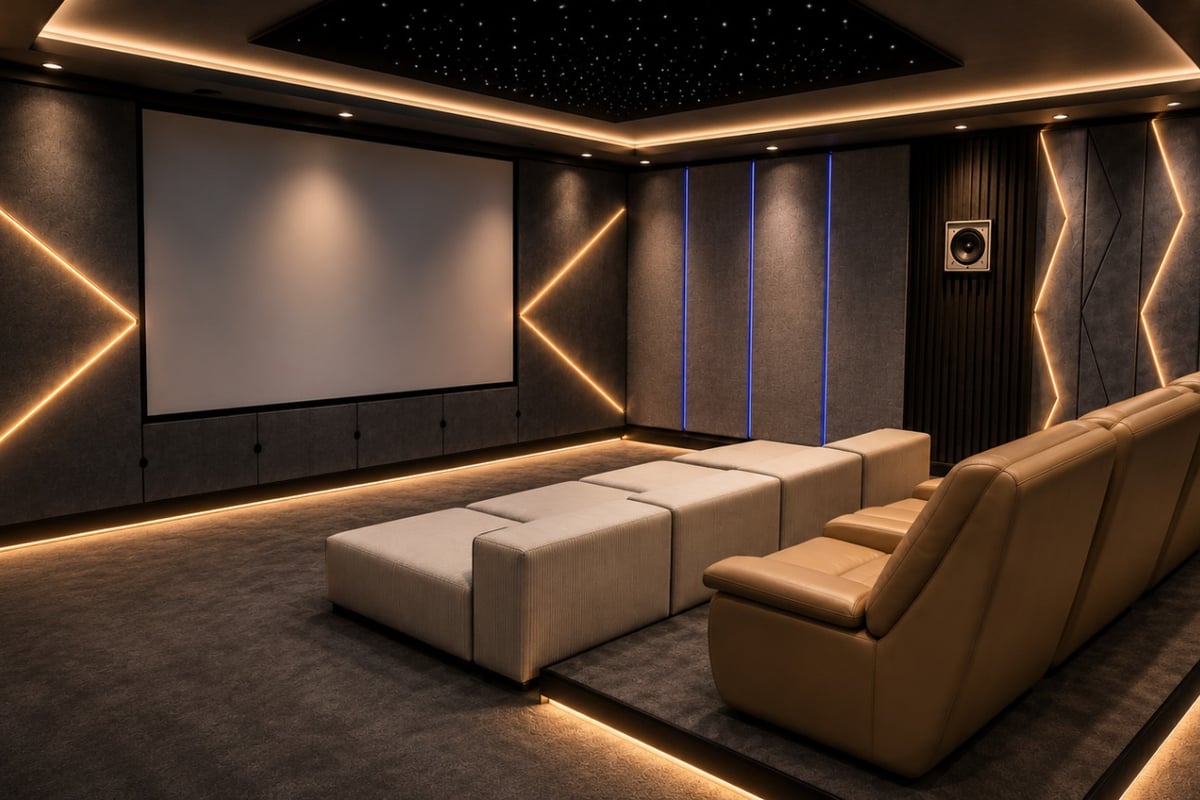
For clients seeking turnkey solutions, professionally designed rooms often integrate premium speaker manufacturers with Denon electronics to achieve reference-grade performance. These home cinema room installations address acoustic treatment, seating geometry, and equipment calibration as a unified system rather than a collection of components.
Installation and Calibration Best Practices
A denon home theater system delivers its full potential only when properly installed and calibrated. Even flagship receivers underperform in poorly configured environments.
Physical Setup Steps
- Position the receiver in a well-ventilated cabinet with at least three inches of clearance on all sides
- Run HDMI cables from source devices (Blu-ray players, streaming boxes, game consoles) to receiver inputs
- Connect the display via the HDMI output, ensuring the cable supports the required bandwidth for 4K or 8K signals
- Wire speakers according to your channel configuration, maintaining proper polarity (positive to positive, negative to negative)
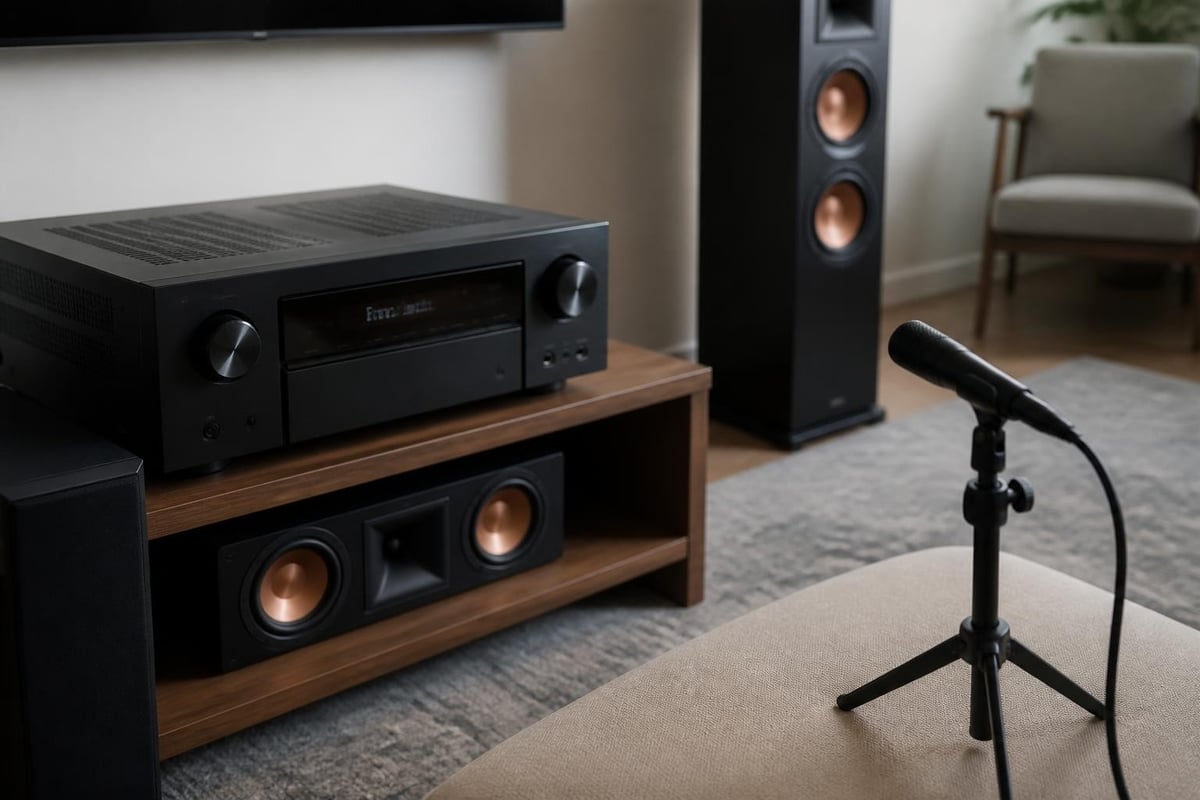
- Place the calibration microphone at the primary listening position for Audyssey setup
Enhanced Audio Return Channel (eARC) support proves essential for passing lossless audio from your TV's built-in apps back to the receiver. Standard ARC channels limit bandwidth, compressing formats like Dolby Atmos to lossy versions. Verify that both your display and receiver support eARC, and use certified Ultra High Speed HDMI cables.
Audyssey Calibration Process
Denon's Audyssey implementation automates much of the room correction process, but understanding the underlying methodology improves results:
- The system plays test tones through each speaker
- The microphone captures responses at multiple listening positions (typically six to eight measurement points)
- Algorithms calculate optimal crossover frequencies, channel levels, and equalization curves
- The receiver stores these corrections and applies them in real-time during playback
Manual refinements after auto-calibration:
- Review subwoofer distance and trim settings
- Adjust individual speaker distances if Audyssey's calculations seem incorrect
- Set dynamic EQ and dynamic volume according to listening preferences
- Verify that height channels are properly identified (Top Front, Top Middle, etc.)
For advanced users, the Audyssey MultEQ-X software provides desktop control over equalization curves, allowing customization beyond the receiver's front-panel interface. This level of control benefits installations where architectural constraints or unique speaker placements require deviation from standard correction profiles.
Multi-Room Audio Strategies
The integration between traditional denon home theater receivers and HEOS wireless speakers creates opportunities for whole-home audio that maintains quality standards across every zone.
Wired and Wireless Hybrid Approaches
Many installations adopt a hybrid strategy: wired speakers in the primary theater space and HEOS wireless units in secondary areas. This approach balances performance and convenience, dedicating amplifier resources to the critical listening environment while simplifying cabling elsewhere.
Common hybrid configurations:
| Zone | Speaker Type | Source Control | Use Case |
|---|---|---|---|
| Theater | Wired passive speakers via AVR | Dedicated remote, HEOS app | Movies, critical listening |
| Kitchen | Denon Home 150 | HEOS app, voice control | Streaming, podcasts |
| Bedroom | Denon Home 250 | HEOS app | Music, TV audio via Bluetooth |
| Patio | Outdoor-rated wired speakers via Zone 2 output | Receiver zone control | Background music |
Zone 2 and Zone 3 outputs on mid-range and flagship Denon receivers allow you to power additional speaker pairs in other rooms using the same amplifier. However, these zones typically output stereo signals only and may not support all source devices simultaneously with the main theater zone.
HEOS Network Requirements
Reliable multi-room audio depends on robust network infrastructure. HEOS operates over Wi-Fi (2.4GHz or 5GHz) or wired Ethernet, with wired connections strongly recommended for the primary receiver to minimize latency and dropout risks.
Network best practices include:
- Dedicated access points in larger homes to ensure consistent coverage
- Quality of Service (QoS) settings on routers to prioritize HEOS traffic
- Firmware updates for both the receiver and HEOS speakers via the HEOS app
The HEOS app serves as the central control interface, aggregating streaming services (Spotify, Tidal, Amazon Music), local media libraries, and internet radio. Playlist creation, grouping, and source switching all occur within a single application rather than juggling multiple manufacturer apps.
Optimizing Audio Formats and Streaming
Modern denon home theater systems support a wide range of audio codecs, each with specific technical characteristics and source requirements.
Lossless vs. Lossy Formats
Understanding the distinction between lossless and lossy audio helps you prioritize source devices and streaming services:
- Lossless formats (Dolby TrueHD, DTS-HD Master Audio, Dolby Atmos via TrueHD) preserve every bit of information from the studio master, requiring high-bandwidth connections like HDMI or eARC
- Lossy formats (Dolby Digital Plus, DTS Digital Surround) use compression to reduce file sizes, suitable for streaming services and broadcast television but with noticeable quality compromises on high-resolution systems
Dolby Atmos for the Home can be delivered in both lossless (via Blu-ray) and lossy (via streaming platforms like Netflix or Disney+) variants. While lossy Atmos still provides object-based positioning, the compressed audio reduces dynamic range and fine detail compared to disc-based sources.
Streaming Service Tiers
Not all streaming subscriptions deliver high-fidelity audio. To maximize your denon home theater investment, select service tiers that support advanced formats:
- Apple Music and Tidal offer lossless and hi-res streaming up to 24-bit/192kHz
- Amazon Music HD provides lossless FLAC streams and Dolby Atmos Music tracks
- Spotify (as of 2026) still uses lossy OGG Vorbis, though Spotify HiFi has been announced multiple times
The HEOS platform integrates these services directly, allowing you to browse and stream without intermediate devices. However, physical media via a dedicated Blu-ray player or universal disc player still represents the highest-quality source for critical listening.
Troubleshooting Common Setup Challenges
Even well-planned installations encounter occasional issues. Recognizing typical problems and their solutions prevents frustration and downtime.
HDMI Handshake Issues
HDMI devices negotiate capabilities through a handshake process that occasionally fails, resulting in no picture, no sound, or intermittent dropouts. Official Denon manuals provide specific troubleshooting steps, but general remedies include:
- Power cycle the receiver, display, and source devices in sequence
- Verify HDMI cable quality (use certified cables for 4K/8K signals)
- Disable HDMI-CEC on all devices except the receiver to prevent control conflicts
- Update receiver firmware to address known compatibility issues
Some older displays or projectors lack eARC support, limiting audio return to standard ARC or requiring optical audio connections for built-in streaming apps. This constraint forces users to route all sources through the receiver rather than the display's smart platform.
Audyssey Measurement Errors
Audyssey calibration sometimes produces unexpected results, such as identifying speakers in incorrect positions or setting subwoofer distances that seem wrong. Common causes include:
- Background noise during measurement (HVAC systems, traffic, appliances)
- Microphone placement too close to reflective surfaces
- Speaker phase issues (wiring one channel out of polarity)
- Room modes that create deep nulls at measurement positions
Re-running calibration in quieter conditions and varying microphone positions often resolves these issues. If Audyssey consistently miscalculates distances or crossovers, manual override proves necessary.
Network Dropouts with HEOS
Wireless multi-room audio systems are susceptible to Wi-Fi interference and network congestion. If HEOS speakers drop connections or exhibit buffering:
- Move the router closer to the primary receiver or add mesh network nodes
- Switch to 5GHz Wi-Fi bands to avoid 2.4GHz congestion
- Connect the main receiver via Ethernet to serve as a wired bridge
- Reduce the number of grouped zones to decrease network load
Persistent issues may indicate insufficient router capabilities. Consumer-grade routers often struggle with more than six simultaneous HEOS devices, necessitating upgrades to enterprise-grade access points.
Future-Proofing Your Denon Home Theater
Technology evolves rapidly, and investments made today should accommodate tomorrow's formats and use cases.
Connectivity Standards to Prioritize
When selecting a denon home theater receiver in 2026, prioritize these forward-looking features:
- HDMI 2.1 with full 48Gbps bandwidth for 8K/60Hz and 4K/120Hz signals
- eARC for lossless audio return from smart TV apps
- Bluetooth 5.0 or newer for improved range and multi-device connectivity
- Pre-amplifier outputs for adding external power amplifiers as your system grows
Pre-outs prove particularly valuable in custom installations. As room sizes increase or speaker efficiency decreases, the built-in amplifiers in even high-end receivers may struggle to deliver clean power at reference levels. Pre-outs allow you to offload amplification to dedicated power amplifiers while retaining the receiver's processing and switching capabilities.
Modular System Design
Rather than purchasing the most expensive receiver immediately, consider a modular approach that allows incremental upgrades:
- Start with a quality mid-range receiver that meets your current channel count
- Invest heavily in speakers and acoustic treatment, as these have the greatest impact on sound quality and rarely require replacement
- Add external amplification later to drive additional zones or demanding speakers
- Expand wireless HEOS speakers to secondary rooms as budget permits
This phased strategy distributes costs over time while maintaining upgrade paths. A well-chosen mid-range Denon receiver purchased today can serve as a pre-processor tomorrow when paired with outboard amplification.
Comparing Denon to Competitive Ecosystems
While Denon offers compelling features, understanding how it compares to alternatives like Sonos, Marantz (its sibling brand), and Yamaha helps validate your decision.
Denon vs. Sonos
Reviews comparing Denon Home speakers to Sonos highlight key differentiators. Sonos excels in ease of use and integrated streaming but lacks the raw power and channel flexibility of a traditional denon home theater receiver. Sonos Arc and Beam soundbars provide simulated surround sound, while Denon systems offer true discrete channels with physical speaker placement.
Comparison summary:
| Feature | Denon Home Theater | Sonos Ecosystem |
|---|---|---|
| True surround sound | Yes, discrete channels | Simulated via soundbar |
| Amplification power | 80-150W/channel | 20-40W total (soundbars) |
| Speaker flexibility | Any brand via AVR | Sonos speakers only |
| Streaming integration | HEOS app | Sonos app |
| Professional calibration | Audyssey MultEQ | Trueplay (iOS only) |
For dedicated theater rooms where performance matters most, Denon's receiver-based approach delivers superior results. For casual listening and multi-room convenience, Sonos' simplicity appeals to less technical users.
Marantz vs. Denon
Marantz and Denon share engineering resources under the Sound United (now Masimo) corporate umbrella. Marantz receivers typically feature warmer voicing, premium cosmetics (porthole displays, champagne faceplates), and slightly higher price points. Functionally, technical specifications reveal that equivalent-tier models share circuit boards and DSP capabilities.
Choosing between them often comes down to aesthetic preference and brand loyalty rather than measurable performance differences. Both deliver excellent results in properly configured denon home theater environments.
Understanding the components, calibration techniques, and integration strategies for a denon home theater system empowers you to create an audio environment that meets your specific performance and usability goals. Whether you're building a modest 5.1 setup or an ambitious Atmos installation with multi-room distribution, Denon's ecosystem provides the flexibility and technical capability to deliver cinema-grade experiences at home. For those seeking expert guidance through component selection, acoustic design, and professional calibration, ANR media specializes in custom home cinema solutions tailored to your space, from multi-room audio to complete bespoke theater conversions.