

The Epson PowerLite Home Cinema 8350 represents a significant milestone in affordable high-performance projection technology for dedicated home cinema installations. Released as part of Epson's premium residential lineup, this 3LCD projector delivers true 1080p resolution with extensive lens flexibility and THX certification, making it a compelling choice for custom cinema room conversions. Understanding its capabilities, setup requirements, and integration potential helps installers and cinema enthusiasts maximize the investment in projection technology that continues to hold relevance in 2026.
Understanding the Epson PowerLite Home Cinema 8350 Core Technology
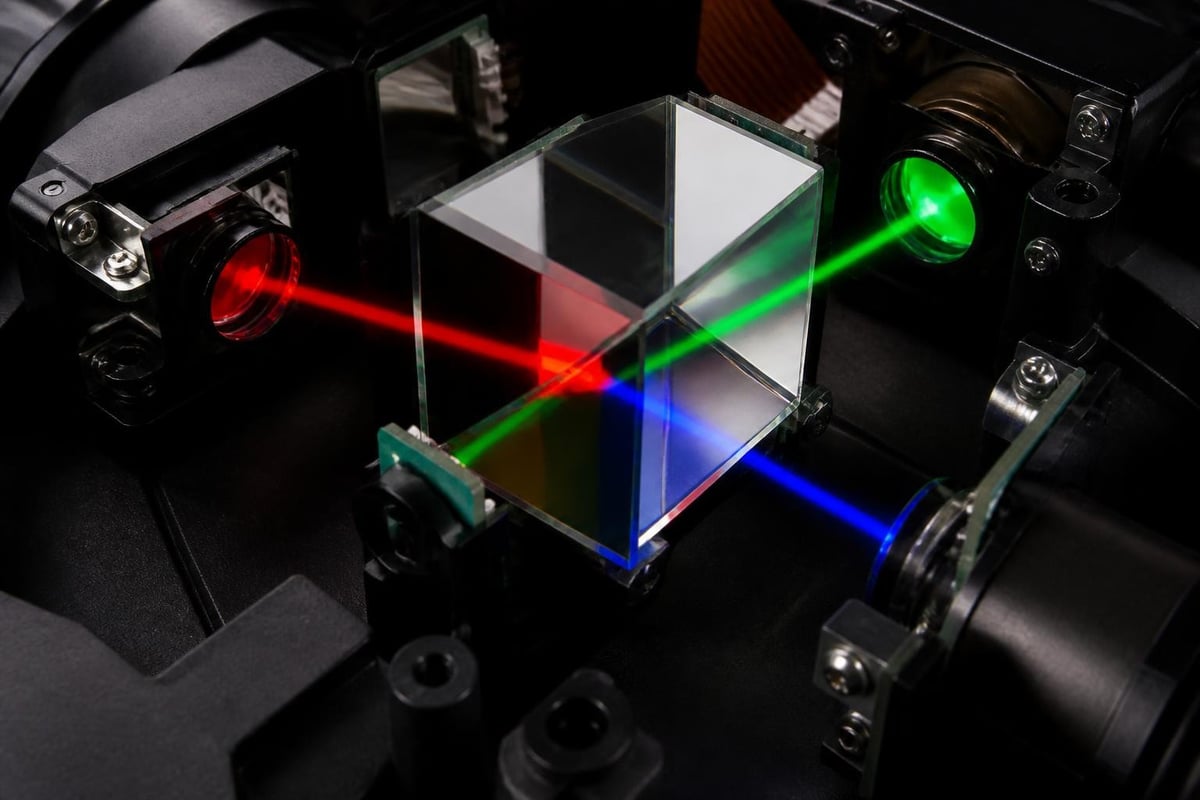
The Epson PowerLite Home Cinema 8350 employs 3LCD projection technology rather than the single-chip DLP systems found in many competing models. This three-panel design delivers simultaneous red, green, and blue light processing, resulting in exceptional color accuracy and brightness efficiency without the rainbow effect some viewers experience with DLP projectors.
At the heart of this projector sits a 2,000-lumen lamp paired with a dynamic iris system. This combination enables deep blacks in dark scenes while maintaining sufficient brightness for larger screens in light-controlled environments. The official specifications confirm a contrast ratio reaching 75,000:1 with the dynamic iris engaged, though real-world performance varies based on content and calibration settings.
Resolution and Image Processing Capabilities
True 1080p resolution (1920 x 1080 pixels) ensures the Epson PowerLite Home Cinema 8350 displays full HD content without scaling artifacts. The projector accepts various input signals including 1080p/24, the native frame rate of theatrical film content, enabling proper cinema presentation without judder or motion interpolation.
Frame interpolation technology processes content at higher refresh rates to smooth motion during fast action sequences. While purists often disable this feature for film viewing, it proves valuable for sports broadcasts and gaming applications. The processing engine also includes:
- Detail enhancement for improved perceived sharpness
- Noise reduction algorithms for cleaner images from lower-quality sources
- Color management controls for precise calibration
- Edge enhancement options (best left minimal for natural presentation)
According to Epson’s official documentation, the projector achieves THX certification, confirming it meets rigorous performance standards for color accuracy, contrast, and geometric linearity developed specifically for home cinema applications.
Lens System and Installation Flexibility
The powered lens features distinguish the Epson PowerLite Home Cinema 8350 from entry-level projection systems. Motorized zoom, focus, and lens shift functions enable precise image placement without physically relocating the projector, a critical advantage for ceiling-mounted installations and professional room conversions.
Zoom and Throw Distance Calculations
The 2.1:1 powered zoom lens provides substantial placement flexibility. For a 100-inch diagonal 16:9 screen, throw distance ranges from approximately 10.8 feet to 23 feet, accommodating various room configurations without requiring extreme mounting positions.
Understanding throw ratio calculations proves essential for proper installation planning. The throw distance relationship between projector placement and screen size determines whether a specific room layout will work with this projector model. Professional installers calculate these distances during the design phase to ensure optimal geometry and avoid keystoning.
| Screen Size | Minimum Distance | Maximum Distance | Optimal Distance |
|---|---|---|---|
| 80 inches | 8.7 feet | 18.3 feet | 12-14 feet |
| 100 inches | 10.8 feet | 23.0 feet | 15-17 feet |
| 120 inches | 13.0 feet | 27.6 feet | 18-21 feet |
| 150 inches | 16.3 feet | 34.5 feet | 23-26 feet |
Lens Shift Range and Mounting Options
Vertical lens shift extends +96% to -96% of image height, while horizontal shift reaches +47% to -47% of image width. These ranges mean the projector can be offset significantly from screen center while maintaining perfect geometry, eliminating the need for digital keystone correction that reduces resolution and image quality.
This flexibility proves invaluable when ceiling height restrictions, sightlines, or architectural features limit ideal mounting positions. Ceiling mounts, rear shelves, and custom enclosures all become viable with proper lens shift utilization.
Connectivity and Source Integration
Modern home cinema systems demand comprehensive input options. The Epson PowerLite Home Cinema 8350 provides two HDMI 1.4a inputs supporting 3D content, along with component video, S-Video, and composite connections for legacy sources.
While HDMI 1.4a predates the 4K and HDR capabilities of current-generation displays, it fully supports 1080p content at all standard frame rates. For dedicated cinema rooms built around Blu-ray libraries and streaming content upscaled by quality processors, these inputs remain entirely adequate in 2026.
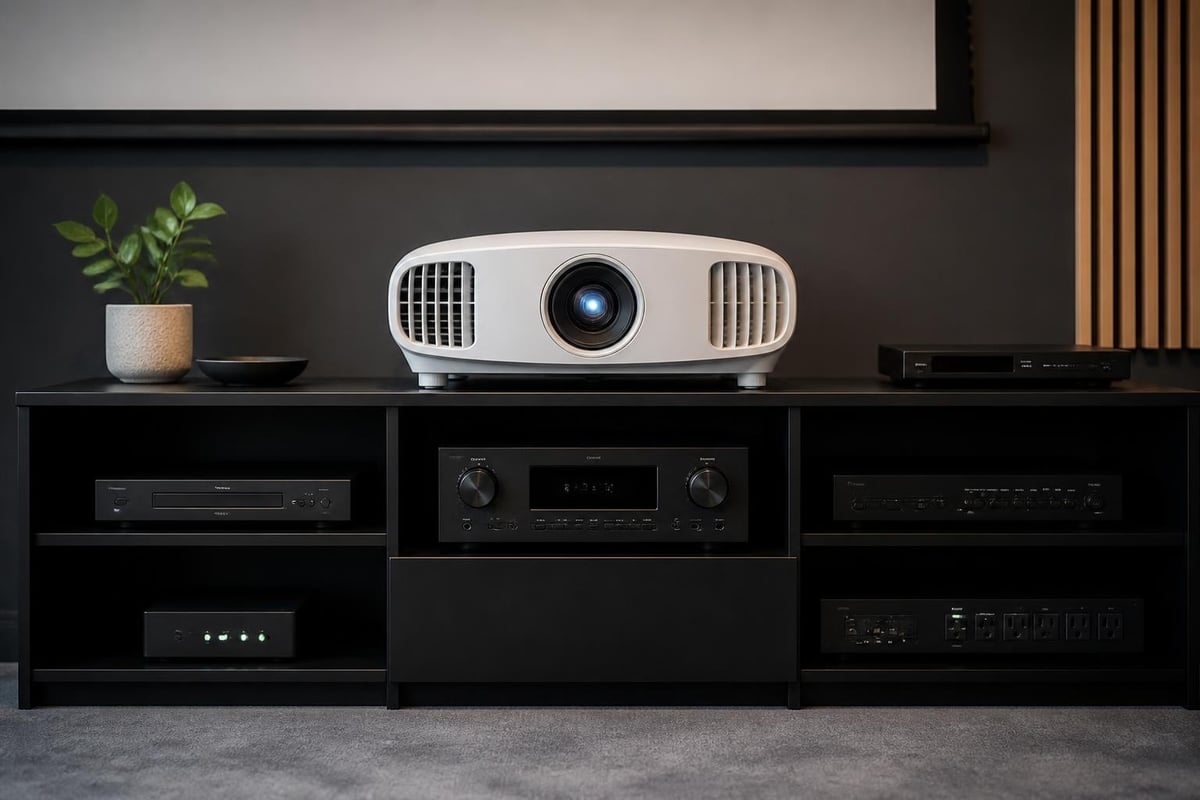
A 12V trigger output enables automation integration, automatically lowering motorized screens or closing blackout shades when the projector powers on. Professional installations leverage this feature extensively to create seamless viewing experiences.
The RS-232C serial port allows integration with Control4, Crestron, and similar automation systems. Custom programming enables sophisticated control scenarios including:
- Automatic input switching based on source activity
- Picture mode changes tied to content type detection
- Lamp power adjustments for different viewing scenarios
- Coordinated startup sequences with audio processors and lighting systems
Calibration and Picture Quality Optimization
Achieving reference-level performance from the Epson PowerLite Home Cinema 8350 requires proper calibration. Out-of-box settings emphasize brightness over accuracy, suitable for showroom demonstrations but suboptimal for dedicated cinema environments.
Color Mode Selection and Customization
The projector offers multiple picture presets including Cinema mode, which provides the most accurate starting point for calibration. This mode targets Rec.709 color space standards, the specification for HD content reproduction.
Professional calibration involves:
- Grayscale tracking to eliminate color casts in neutral tones
- Color gamut mapping ensuring primary and secondary colors match standards
- Gamma curve adjustment for proper shadow and highlight rendering
- Brightness and contrast optimization based on screen material and room conditions
Advanced users access the projector's color management system to adjust individual color points. Dedicated calibration equipment including spectroradiometers and pattern generators enables precise measurements, though visual calibration using reference discs produces significant improvements over factory settings.
For professional installations, particularly those within custom cinema rooms where controlled lighting and acoustically optimized environments demand reference-level imagery, expert calibration forms an essential final step. The detailed setup procedures outline menu navigation and adjustment ranges for all picture parameters.
Lamp Life and Maintenance Considerations
Lamp longevity significantly impacts total cost of ownership. The Epson PowerLite Home Cinema 8350 lamp delivers approximately 4,000 hours in high-brightness mode and 5,000 hours in economy mode. Real-world usage patterns determine actual replacement intervals.
Cinema rooms with dedicated viewing sessions rather than casual background usage optimize lamp life. A household watching 15 hours weekly averages about 780 hours annually, suggesting 5-6 years between lamp replacements in economy mode.
Replacement Procedures and Cost Analysis
Genuine Epson replacement lamps ensure consistent performance and color accuracy. While third-party alternatives exist at lower price points, they often exhibit reduced brightness, color shift, and shorter operational life.
| Lamp Mode | Brightness | Expected Life | Annual Cost (15 hrs/week) |
|---|---|---|---|
| High | 2,000 lumens | 4,000 hours | $75-100 |
| Medium | ~1,600 lumens | 4,500 hours | $55-75 |
| Eco | ~1,400 lumens | 5,000 hours | $50-65 |
Filter maintenance extends projector life. Cleaning the air intake filter monthly in typical environments prevents dust accumulation that reduces cooling efficiency and increases fan noise. The filter slides out for tool-free cleaning with compressed air or gentle washing.
Integration into Dedicated Cinema Rooms
The Epson PowerLite Home Cinema 8350 performs optimally in light-controlled environments purpose-built for video presentation. While capable of producing viewable images in moderate ambient light, its full contrast and color potential emerges only in darkened spaces.
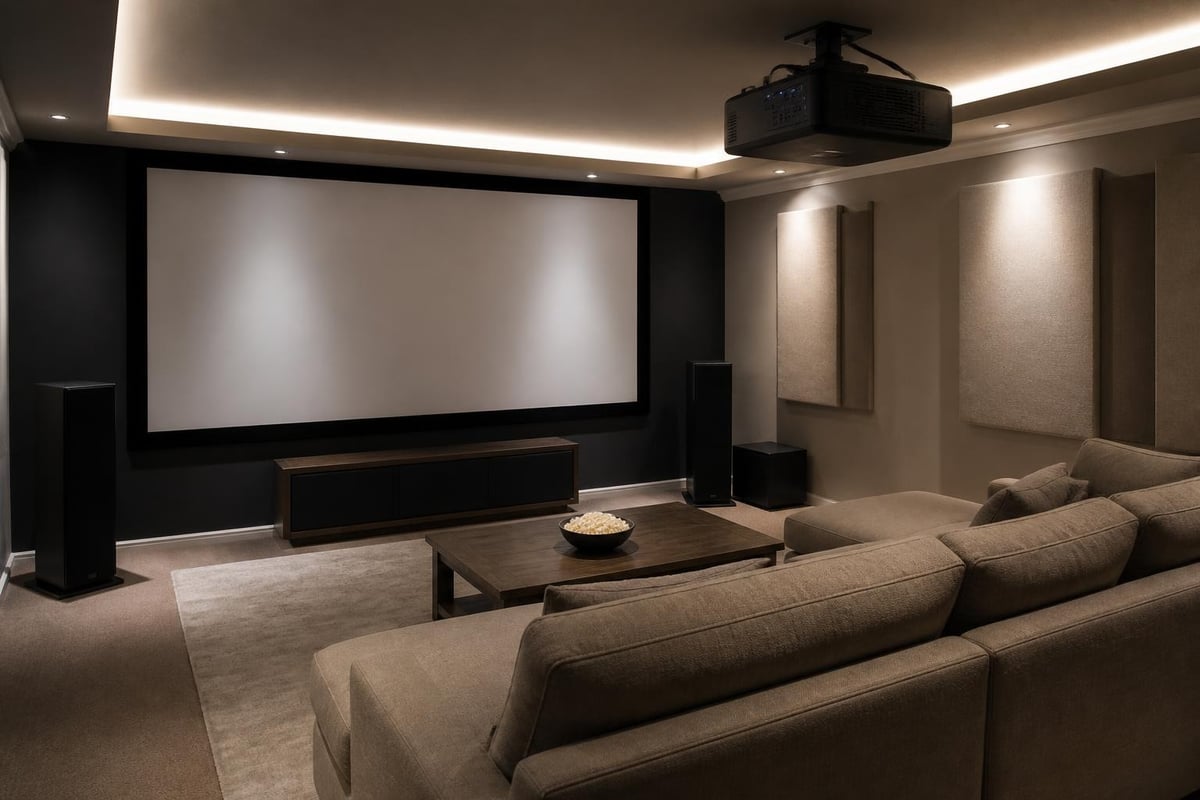
Dedicated cinema room design accounts for projection requirements during the planning phase. Ceiling height, throw distance, screen placement, seating arrangement, and acoustic treatment all interrelate with projector selection and positioning. When designing custom installations, professionals consider how projection technology integrates with the complete sensory experience.
For homeowners investing in premium cinema experiences, working with specialists who understand both projection technology and room design ensures optimal results. A properly designed home cinema room brings together projection, acoustics, seating, and lighting control in a cohesive environment where the Epson PowerLite Home Cinema 8350's capabilities fully express themselves without compromises from environmental factors.
Screen Selection and Gain Characteristics
Screen material profoundly influences perceived image quality. The Epson PowerLite Home Cinema 8350's 2,000-lumen output pairs well with screens ranging from 100 to 130 inches diagonal in completely darkened rooms.
Gain values indicate how much light a screen reflects compared to a reference standard. Common options include:
- 1.0 gain matte white screens preserve accurate color and viewing angles
- 1.3 gain materials boost perceived brightness with minor angle restrictions
- 0.8 gain gray screens enhance black levels in rooms with ambient light challenges
Acoustically transparent screens enable speaker placement directly behind the projection surface, matching commercial cinema layouts. This configuration requires additional brightness to compensate for light loss through the perforated material, making the Epson PowerLite Home Cinema 8350's output appropriate for screens up to 110 inches when using quality acoustic materials.
Audio System Pairing and Complete Experience
Projection quality represents only half of the cinema equation. The Epson PowerLite Home Cinema 8350's THX certification expects pairing with similarly specified audio components to deliver the complete theatrical experience THX standards address.
Speaker Configuration Recommendations
Minimum configurations for proper cinema audio include 5.1 surround systems with three front channels, two surrounds, and a subwoofer. Reference installations expand to 7.1 or immersive formats including Dolby Atmos and DTS:X with overhead speakers.
Front speakers should match the screen's acoustic center. For a 110-inch screen positioned at the projector's optimal throw distance, front soundstage width typically spans 9-11 feet to maintain proper imaging and dialogue localization.
Surround speakers positioned slightly behind and above the primary seating location create enveloping ambience. Proper calibration using room correction systems like Audyssey or Dirac Live optimizes frequency response for the specific acoustic environment.
Comparing 3LCD vs DLP for Home Cinema
Understanding fundamental projection technology differences helps explain the Epson PowerLite Home Cinema 8350's performance characteristics. 3LCD systems create images by splitting white light through a prism into red, green, and blue components, processing each color through separate LCD panels.
This approach delivers higher color brightness than comparable DLP projectors. Color brightness, measured in color light output (CLO), matches white brightness in 3LCD designs, whereas single-chip DLP systems often show significantly lower color brightness than their rated white lumens.
Technology Trade-offs and User Preferences
DLP projectors typically offer sharper pixel structure and potentially deeper blacks when using high-contrast chips. However, the color wheel rotation in single-chip DLP models causes rainbow artifacts for sensitive viewers, particularly noticeable on high-contrast edges and during eye movement.
The Epson PowerLite Home Cinema 8350's 3LCD design eliminates rainbow artifacts entirely while delivering vibrant, accurate color reproduction. This makes it particularly suitable for extended viewing sessions where eye fatigue and artifact sensitivity become considerations.
| Feature | 3LCD (Epson 8350) | Single-Chip DLP |
|---|---|---|
| Rainbow artifacts | None | Possible |
| Color brightness | Equals white brightness | Often 30-50% lower |
| Pixel structure | Slightly visible | Very sharp |
| Black levels | Very good (with iris) | Excellent (premium models) |
| Price/performance | Strong value | Varies widely |
Advanced Features and Customization Options
Beyond core projection capabilities, the Epson PowerLite Home Cinema 8350 includes features supporting sophisticated installations. Frame interpolation creates intermediate frames between source frames, reducing judder during camera pans in film content and smoothing fast motion in sports.
Cinema purists typically disable frame interpolation for film content, preferring the native 24 frames per second presentation that matches theatrical exhibition. Sports and video content at 60Hz often benefits from the processing, though personal preference varies significantly.
The split-screen function displays two sources simultaneously, useful for comparing picture settings or monitoring multiple inputs. While rarely used during actual viewing, this feature assists calibrators and installers during setup procedures.
Image flip options accommodate both front and rear projection installations. Ceiling mount mode inverts the image for overhead installation, while rear projection mode mirrors the image for through-screen projection in dedicated cinema rooms with adequate depth behind the screen wall.
Long-term Value and Current Relevance
Despite being discontinued from current production, the Epson PowerLite Home Cinema 8350 maintains strong performance credentials in 2026 for dedicated 1080p cinema installations. Its combination of lens flexibility, 3LCD color accuracy, and THX certification delivers theatrical presentation quality that many newer projectors struggle to match at similar price points in the used market.
For cinema enthusiasts prioritizing Blu-ray collections and upscaled streaming content over native 4K sources, this projector's capabilities remain entirely relevant. Professional calibration extracts reference-level imagery that exceeds many modern 4K displays in proper viewing environments.
The used market offers these projectors at compelling value propositions compared to their original retail pricing. Buyers should verify lamp hours, inspect lens condition, and confirm all motorized functions operate smoothly before purchase.
The Epson PowerLite Home Cinema 8350 delivers exceptional 1080p projection performance for dedicated cinema environments, combining lens flexibility, accurate color reproduction, and THX-certified image quality. Whether you're planning a new cinema room installation or upgrading existing projection technology, professional integration ensures you maximize every capability of sophisticated projection systems. ANR media specializes in custom home cinema design and installation, creating bespoke cinema rooms where projection, acoustics, and automation converge into seamless entertainment experiences tailored to your space and preferences.